Loading
Loading
See exactly how each piece works before you touch the trial. Real screens, real workflows, built for tint, detail, PPF, and service shops.
No credit card · Cancel anytime
Looking for shop software built for your vertical? See /built-for — tint, PPF, ceramic coating, detail, wrap, mobile, multi-bay, franchise.
Scheduling & Calendar
Every installer, every bay, every appointment in one view. Drag to reschedule. Color-coded by status. Double-book detection with explicit confirm-to-override.
What this looks like in a shop
Illustrative scenario: Saturday is chaos at most shops. A customer calls wanting a PPF install on Friday. Open the calendar — day view lists everything scheduled, each row colored by which installer or bay it's assigned to. Book the new appointment against an open installer, and their confirmation text goes out right away. If a Friday job needs to move, drag it to a different day in week view; the assigned bay's conflict check blocks it if that slot's already taken.
Saturday, April 19
6 appointments · 3 installers
Full ceramic
Tesla Model Y
PPF front end
Ford F-150
Windshield tint
Honda Civic
Ceramic coating
BMW M3
Detail - full
Audi Q5
Customer CRM
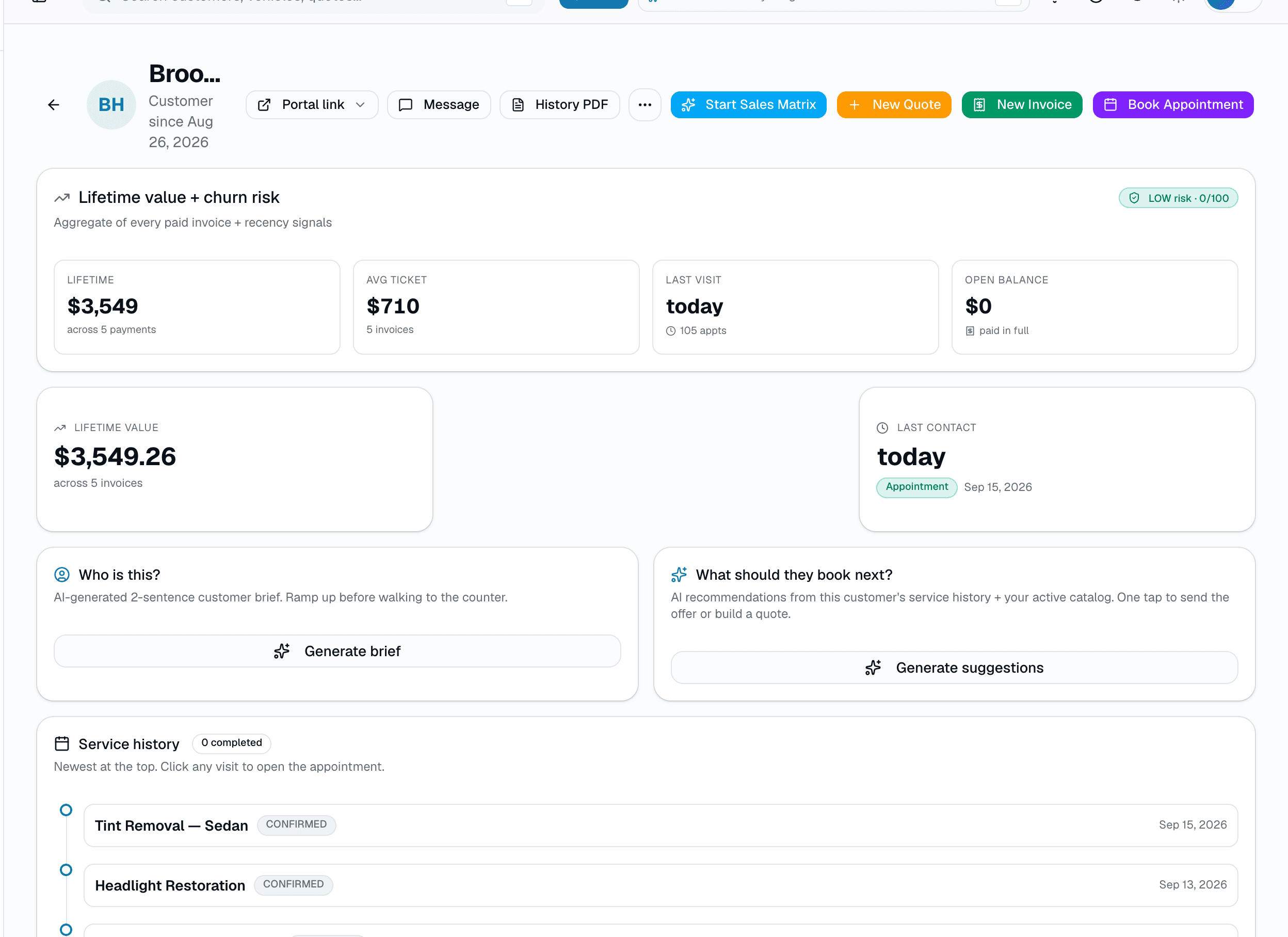
Search by name, plate, or VIN in milliseconds. Every appointment, quote, invoice, warranty, and photo attached to the right record — forever.
What this looks like in a shop
Illustrative scenario: Jessica rolls into the shop in a blacked-out G-Wagen. You punch in 'BLK4U' — the plate pops right up. You see she was in 18 months ago for ceramic, there's a scratch she noted last time, her phone is on file, and she's tagged 'VIP Referral Source.' Your install quote loads with her preferred film brand pre-selected.
sarah.k@email.com · (512) 555-1290 · Customer since Aug 2022
2023 Mercedes G-Wagen
Obsidian Black · Plate BLK4U · 3 visits
2021 Tesla Model S
Pearl White · Plate 9FK27L · 1 visit
Recent activity
Quotes & Estimates
Pick a vehicle class, pick a film package, hit send. The customer gets a branded quote with three tiers — they pick one and you're booked.
What this looks like in a shop
Illustrative scenario: Your phone rings: 'What's a full ceramic tint on a Model Y?' You open a new quote, tap 'Add window tint,' and paint the Better tier across the full 7 windows — it prices off your catalog automatically. Send. Two minutes later she signs on her phone and pays the deposit — she's booked while you're still on the call.
Quote 208
Full window tint — 2023 Tesla Model Y
For Sarah Kim · Expires in 14 days
Good
Carbon 35%
$499
Better
SuggestedCeramic 30%
$699
Best
IR Premium 20%
$899
Deposit required
$100 · non-refundable
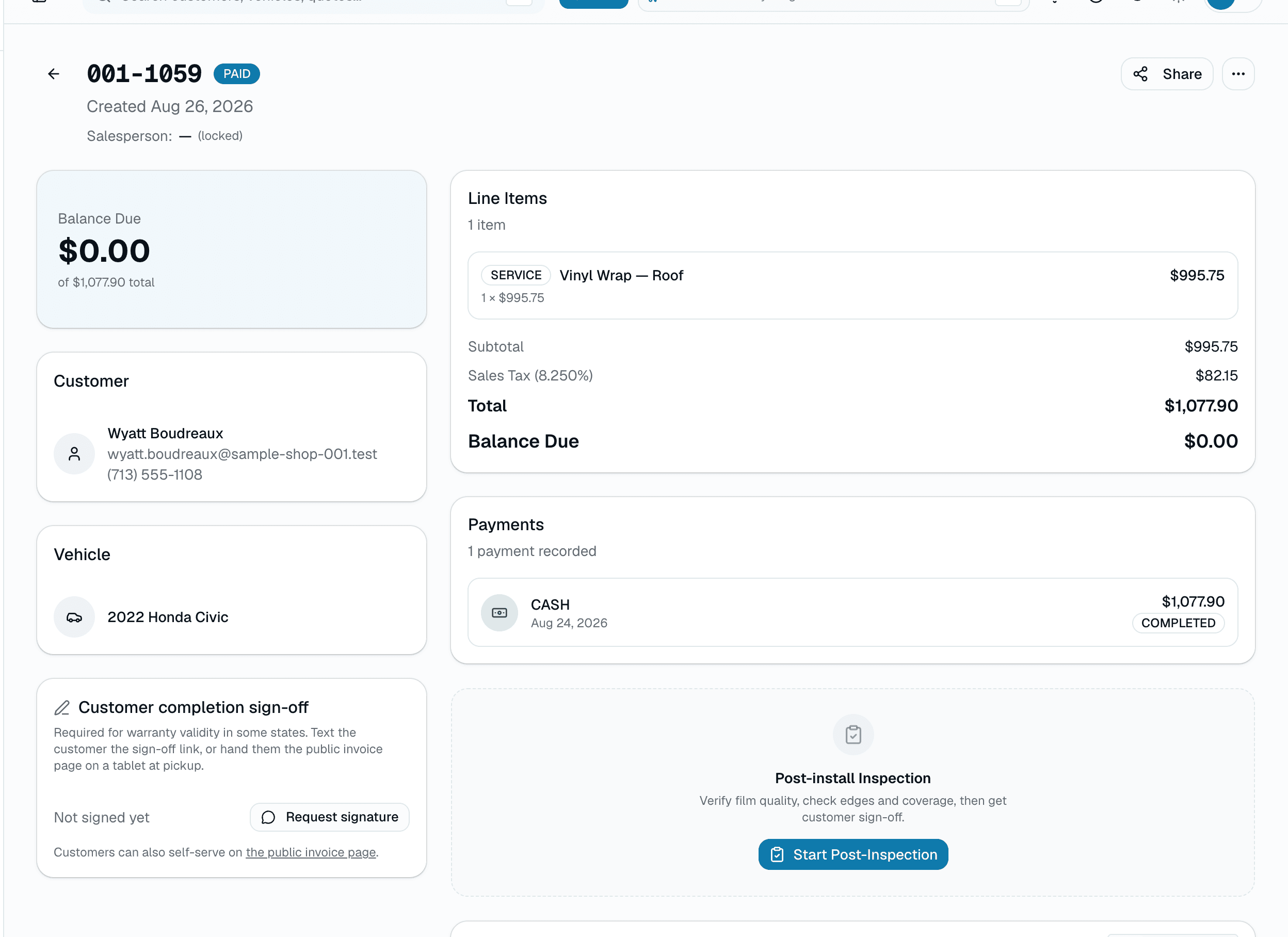
Online Payments
Accept cards online with a one-click pay link in SMS or email. Partial payments, deposits, refunds — all handled. All-in card rate as low as 2.5% + $0.10 per tap, tier-dependent, visible any time in Reports → Fees.
What this looks like in a shop
Illustrative scenario: Invoice goes out via text. Customer taps the pay link, pays by card in a few seconds. The payment is reconciled automatically against the invoice. No QuickBooks export. No Square dashboard. No sticky notes.
Sample Shop LLC
Payment received
Invoice #2041 · $699.00
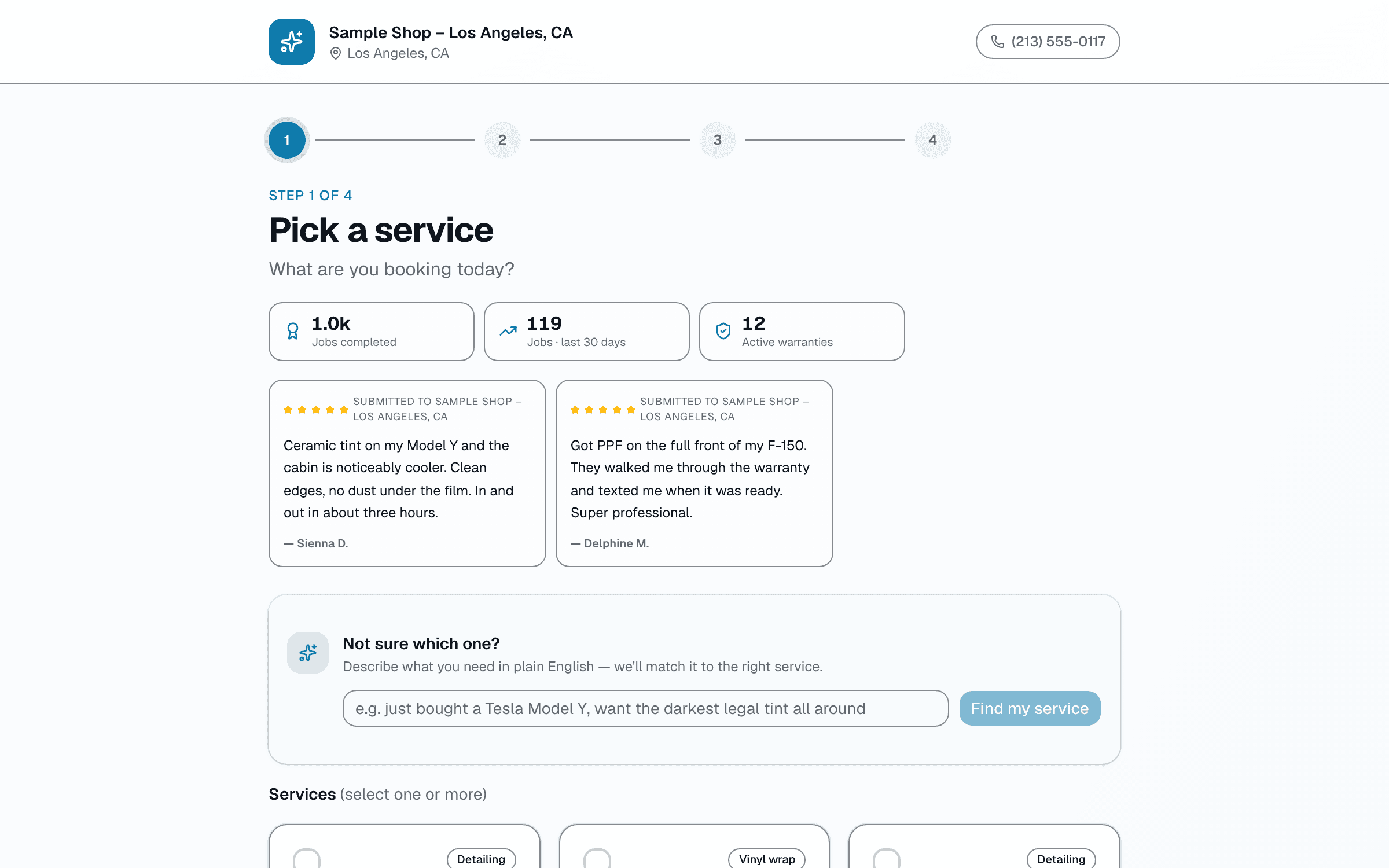
Online Booking
Your own branded booking URL — shop.salesthumb.com/book. Customers pick service, vehicle, slot, pay deposit. Done. It runs 24/7.
What this looks like in a shop
Illustrative scenario: Thursday at 11pm a customer finds your shop on Instagram. They tap your bio link, pick ceramic tint, see your real availability, and book a Saturday slot. If your policy requires it, they pay a deposit right there. You wake up to a confirmed booking on your calendar and a new customer record — no DM back-and-forth.
Sample Shop LLC
1840 S Lamar Blvd, Austin TX
Step 2 of 4 · Pick a service
Full ceramic tint
2h · requires $100 deposit
$699
Windshield only
45m · requires $100 deposit
$199
PPF front end
4h · requires $100 deposit
$1,299
SMS & Email
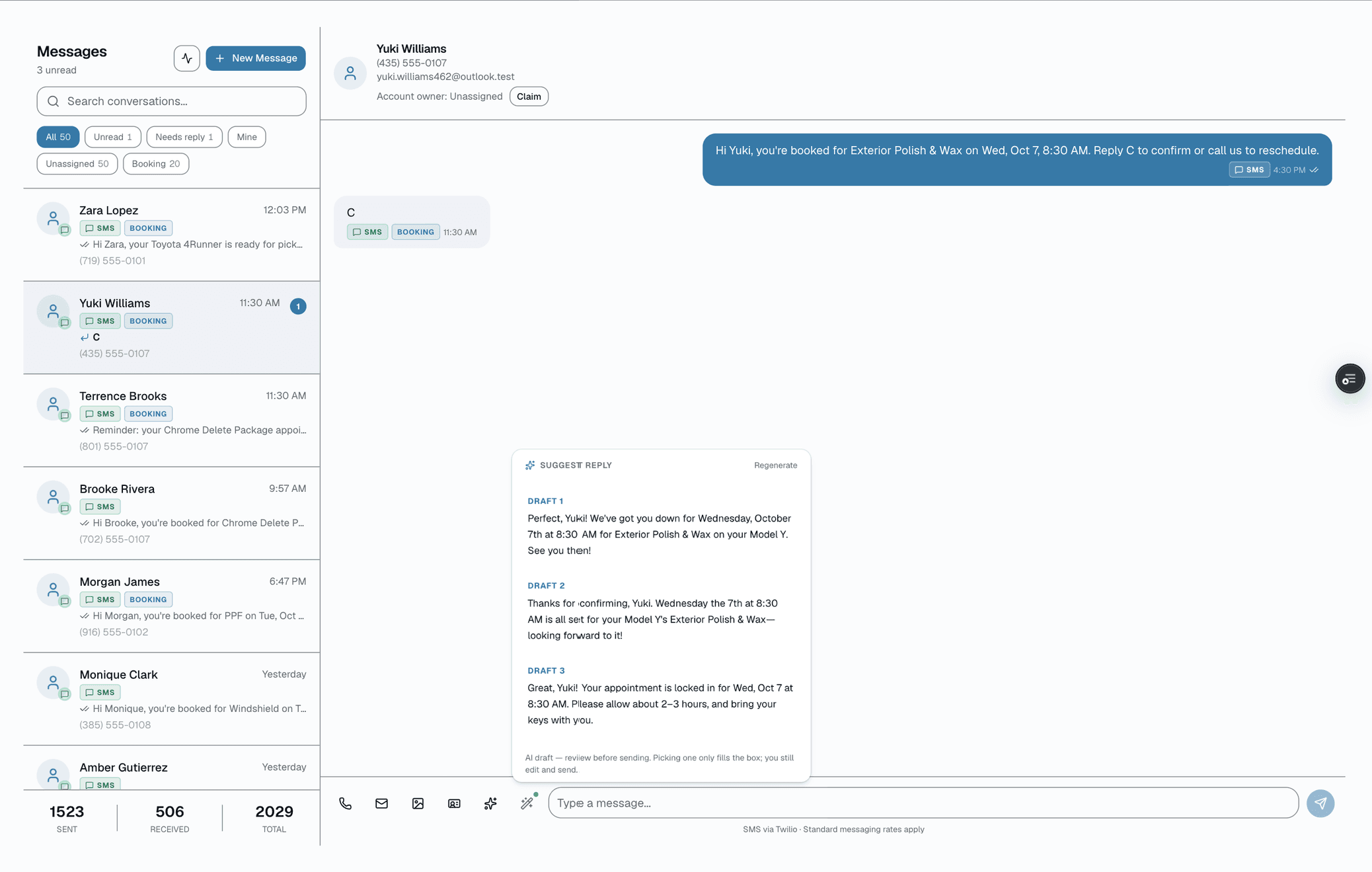
Text customers directly from the dashboard. Every conversation attached to the right customer record. Send photos via MMS. Run bulk campaigns to fill slow days.
What this looks like in a shop
Illustrative scenario: Customer texts back 'running 20 min late.' Your front desk sees it in the shared inbox, replies 'no problem, we'll hold your bay.' Two-way SMS stops missed appointments — and the thread attaches to her customer record so the next visit you've got context.
Today
Sarah K.
2m
Thanks!
Mike T.
18m
Reschedule to…
Lena W.
1h
Got it 👍
Darryl P.
3h
Final quote?
Sarah Kim
(512) 555-1290
Type a message…
Inventory & Film Rolls
Scan a roll in when it arrives. Log usage on completion. See exactly how many feet are left before you reorder. No more walking the back room with a measuring tape.
What this looks like in a shop
Illustrative scenario: Friday morning you pull a tint roll off the shelf, open the roll's page, and see 240" remaining. You install a sedan (uses 68"), record the usage, and the roll updates to 172". When a roll crosses its reorder threshold, it shows up on the low-stock view so you catch it before you're stuck mid-install.
Film rolls · 12 in stock
1 below reorder threshold
XPEL· Ultimate Plus — 60in
Lot A24-119 · received Apr 02
52 ft
SunTek· CIR Ceramic — 40in
Lot B12-087 · received Apr 02
16 ft
Low stock
3M· Crystalline 70 — 36in
Lot C09-221 · received Apr 02
78 ft
LLumar· ATR 20 — 40in
Lot D17-041 · received Apr 02
33 ft
Warranty
Register a completed install in one tap and get a warranty certificate with film product, VLT, install date, expires date, and customer info. PDF delivered to the customer. Claims handled in-app.
What this looks like in a shop
Illustrative scenario. A customer had ceramic tint installed 2 years ago and notices a bubble. She finds her certificate number, opens app.salesthumb.com/warranty/WR-20260420-7HKQ3M9XZP — no login needed — and files a claim: name, email, phone, 'Bubbling,' and a short description. The shop sees it in their claims inbox with the install details already attached and marks it Approved after a quick look.
Certificate of Warranty
Lifetime · Transferable
Issued by Sample Shop LLC · Austin, TX
Registered & active
Sent to sarah.k@email.com · Saved to portal
Reports & Insights
82 reports, grouped by the decision you're making, not a flat list — see them sorted into 6 clusters on the Reports page. Revenue by service. Profit per job (after COGS). Installer leaderboard. Quote-to-close funnel. Busy hours heat map. Export any of them to CSV.
What this looks like in a shop
Illustrative scenario: You open Reports and pick Gross Profit per Job: 58 completed jobs this month, $31k profit after material cost, one PPF job standing out at a thin 58% margin worth a second look. Separately, the 8am revenue-recap email already told you yesterday brought in $2,340 — you didn't have to open the app to know that.
This month · April
vs. last month
Revenue
$73,210
↑ +22%
Jobs
184
↑ +16
Avg ticket
$397
↑ +$24
Quote close %
64%
↑ +8pt
Revenue · last 14 days
+22%
Installer leaderboard
Marcus J.
42j
$19.8k
Sofia R.
37j
$17.2k
Jaylen B.
33j
$15.1k
Installer mobile app
Today's schedule, check-in/out, capture before & after photos, mark complete. No laptop needed. Push notification within a few minutes of a new job landing on your schedule. iOS + Android.
What this looks like in a shop
Illustrative scenario: Marco rolls in at 7:45am, opens the installer app, sees his jobs for the day with bay assignments. He clocks in, grabs his first Tesla, snaps a few before photos, and taps 'Start Job.' The front desk sees his status flip to In Progress without a single radio call. When Alicia checks the app on her lunch break, she sees the same progress bar creeping toward 100% — no call to the shop needed to ask 'is it done yet?'
Saturday
Hey Marcus
Today
6
jobs · 4 ceramic · 2 PPF
9:00 · Tesla Model Y
Sarah K.
11:30 · BMW M3
Mike T.
1:00 · Ford F-150
Lena W.
3:30 · Audi Q5
Darryl P.
Multi-Location & Franchise HQ
Whether you're a solo operator who'll never go past your first bay or a franchisor with hundreds of locations — the rollup scales with you. The day you open your second location, the cracks show: two spreadsheets, two price books, two Slack threads. HQ makes it feel like one business again — consolidated KPIs, a catalog you edit once, royalty that builds itself.
What this looks like in a shop
Illustrative scenario: You own 4 shops across Texas. From HQ you see: Houston is crushing it at $28k/month, Austin is at $12k (investigate), San Antonio is on track, Dallas has an installer shortage. You add a new ceramic-coating service once and push it to the shops that don't have it yet. You click Generate on the April royalty period — every shop's statement lands in their inbox with the royalty and marketing-fund amounts owed calculated automatically; collecting the payment is still a manual step (originate an ACH batch or record payments by hand).
Precision Tint HQ
4 shops · Texas · Week of Apr 14
Revenue
$100.3k
↑ +12%
Jobs
242
↑ +18
Margin
41.2%
↑ +2.1pt
Close rate
58%
↑ +3pt
Houston
+14%
$31.2k
74 jobs
Austin
-6%
$22.8k
58 jobs
San Antonio
+4%
$27.4k
66 jobs
Dallas
-11%
$18.9k
44 jobs
Insight · Copy Houston's deposit policy to Austin?
Austin conversion -8pt since dropping required deposits 3 wks ago.
Browse by category
Every pillar opens a dedicated deep-dive page with the full feature list, screenshots, and use cases.
Operations core
From the first phone call to the final invoice — bookings, quotes, payments, inventory, warranty, and reporting all live in the same workspace.
The moat
Brief Me, photo-to-quote, dispute defender, inbox triage, slot-fill, customer brief, sales playbook copy generation, plain-English booking — every one wired into a real workflow, not a demo.
What your customers see
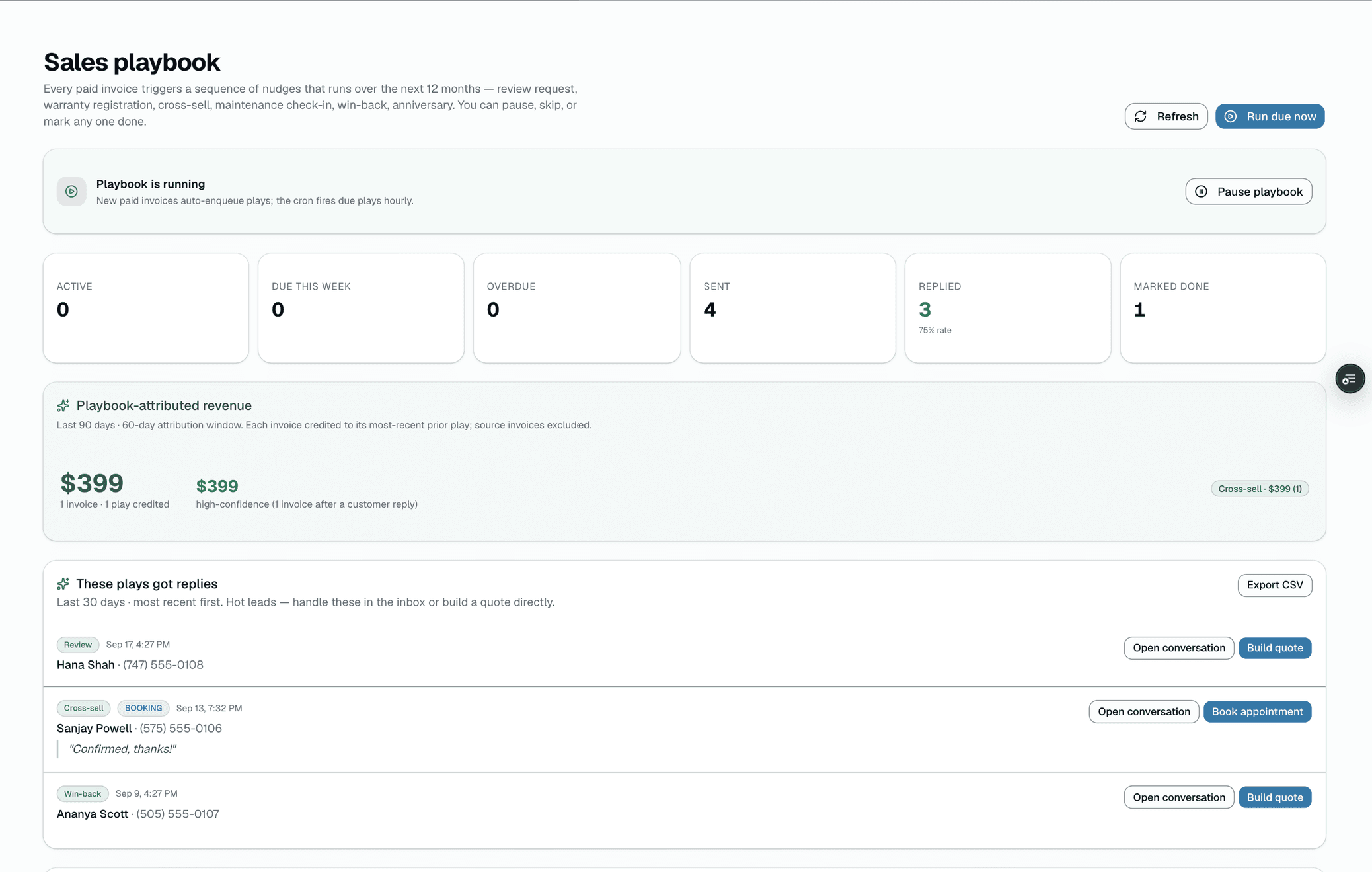
Photo galleries, tip jars, live job tracking, self-serve mobile login, and a 12-month nudge sequence that quietly turns one job into the next.
All-in-one Expo app
Single iOS + Android app.
Drive demand · fill the calendar
Bulk SMS + email blasts, lobby + sales-counter TVs, smart pricing tied to close-rate, ZIP-density referral analytics, and HQ-pushable signage playlists.
Run 2 to 200 shops · franchise-grade
HQ rollups across every shop, royalty calculation + NACHA ACH file export, contract management, morning standup digest, and an in-app tour engine for cross-network rollouts.
Franchise development · pre-award
A dedicated CRM for franchise development: pipeline and stages, lead capture and embeds, multi-touch sequences with a power dialer, validation calls with existing franchisees, a discovery-day calendar, and a codified sales playbook with an FDD document vault and e-sign.
And much more
We didn't cut corners on the “basics.”
No-show texts, review requests, review follow-ups — event → action chains with a drag-drop builder.
Auto-ask for Google / Facebook / Yelp reviews 24 hours after each completed service.
Bulk SMS & email blasts to filtered customer segments. Win-back, seasonal promos, new-service launches.
Digital gift certificates sold online, redeemable at any shop location.
Stamp cards for repeat visits. Referral links tracked per customer.
Automatic tax calculation, per-jurisdiction reports ready for filing.
MMS-enabled customer share. Job photo gallery on the customer portal.
Document condition with photos + customer signature sign-off before install.
QR-ready vCard landing page for flyers, social posts, physical signage.
Kanban board view: scheduled → checked-in → in-progress → ready → completed.
Branded PDF invoices, numbering series, customer notes, auto-remind unpaid.
Configurable deposit % required on booking. Auto-credited to final invoice.
Customers opt-in when you're booked. First-come auto-text when a slot opens.
Monthly detailing, quarterly ceramic maintenance — auto-schedule forever.
Self-service: see upcoming, past service, warranty wallet, rebook in one tap.
A slot opens up, AI ranks your waitlist and drafts a text for the top candidates — you review and tap send.
Tablet-friendly front desk — customers tap their name and verify with the last 4 digits of their phone to check in.
Describe a job in plain English; get back structured line items with industry-standard pricing.
Upload a vehicle photo; identify make/model/condition and draft a quote.
Post-install photo check for haze, lift, dirt, debris, knife marks before the customer sees it.
Photo + tier rules → approve / deny / escalate warranty claim with reasoning the customer reads.
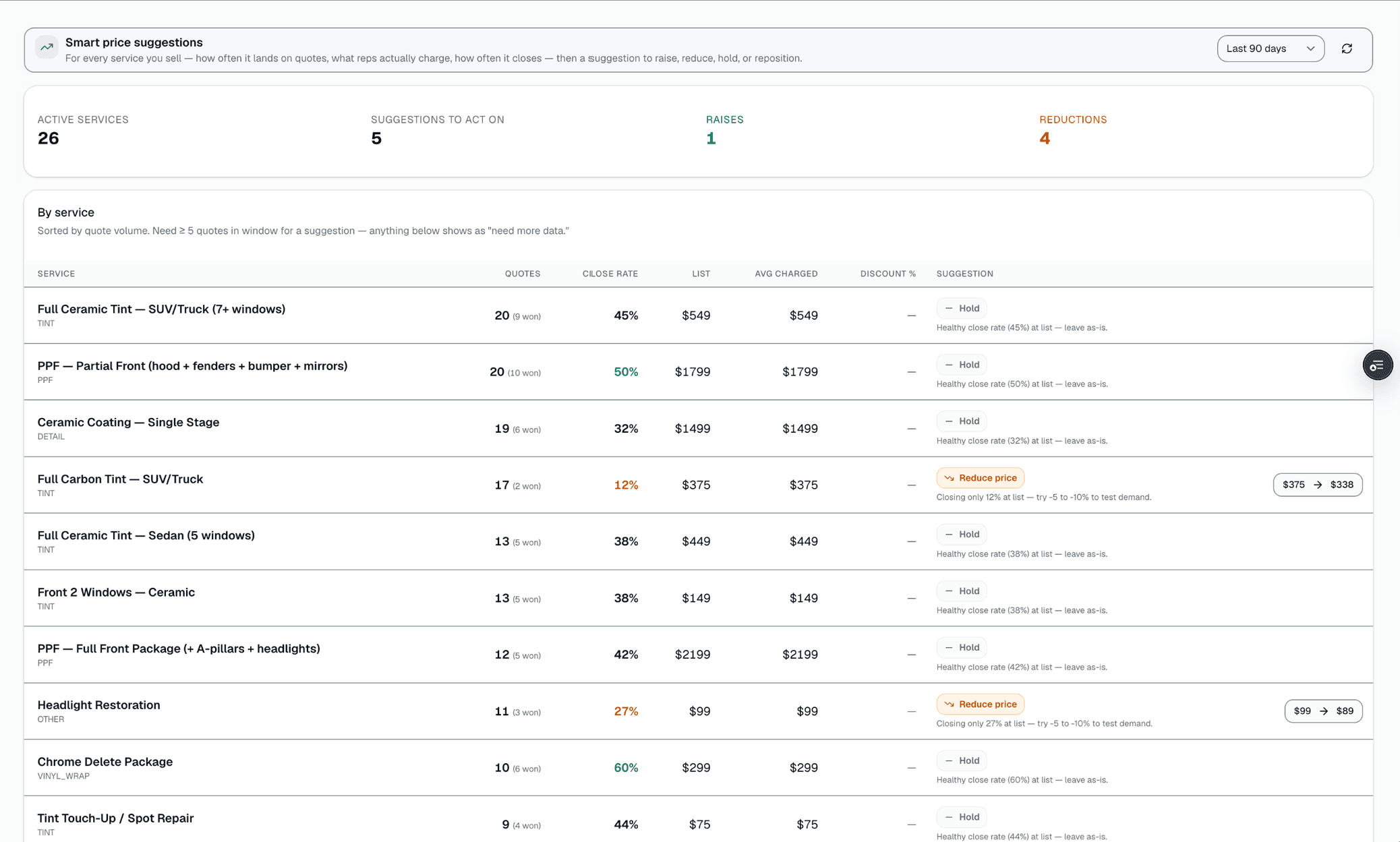
Per-service close-rate analysis suggests when to raise, reduce, or hold. One-click apply to your menu.
Pair any browser-equipped TV. Auto-rotating reels with promos, reviews, jobs queue, weather, before/after.
Rep's tablet drives the big screen. Spotlight a product, side-by-side compare, or push 3 upsell cards.
Org admins build a playlist once and every shop in the system can pick it from their display picker.
Pick a segment (VIPs, new in 30d, dormant 90+, churned), preview recipients, send. Opt-outs filtered.
Token-link page where customers see their before/after photos, share with friends, and leave a review.
Iframe snippet that drops your featured reviews into your own shop website. Theme + accent customizable.
Print-ready poster linking to your booking page, kiosk check-in, or review page — five sizes from sticker to poster, custom headline, downloadable as SVG.
Every inbound SMS auto-tagged with intent + urgency. Urgent threads bubble to the top so the angry customer never sits below casual chitchat.
On any customer detail page, one click drafts a 2-sentence brief — what they buy, when they last came in, and the right tone to take.
Reads the customer's history + your active catalog and recommends 1-3 services to pitch with reason + SMS-ready copy.
Long inbox threads (8+ messages) get a 1-2 sentence recap + suggested next-action + urgency tag at the top so the rep can catch up in seconds.
Composer popover offers 3 reply options (Friendly / Direct / Need info) drawn from the last 6 messages of context.
On any catalog service with no description, one click drafts a 2-3 sentence customer-facing description tuned to your shop's verticals.
On any job photo, one click drafts a caption from the appointment context (vehicle, service, BEFORE/AFTER) — better captions = better customer gallery + signage.
On any chargeback, AI surveys the evidence on file and recommends which sections to pack + drafts a cover note in your voice.
Multi-select on Quotes and Invoices lists — Mark sent / paid / void / delete in one shot. Sticky bulk action bar appears on selection.
Customer detail page shows every past visit as a chronological node — emerald for completed, rose for no-show, outline for upcoming.
Today's READY/COMPLETED jobs in one card on the dashboard. One tap texts the customer their car is ready.
When a job moves to IN_PROGRESS, the customer auto-gets a 'we just started on your vehicle' text. Logged in the conversation thread.
7am email to the shop owner: today's appointments, urgent inbox count, AR aged 30+ days. Skips quiet days entirely.
On the post-job photo gallery, customers can tip the team by card — preset chips + custom amount. 100% goes to the shop, no platform cut.
Guided, spotlighted walkthroughs for every role — owner, manager, tech, front desk, and more — with progress tracked in Settings → Team → Training.
FAQ
Every shop gets the core operating system from Basic on up — CRM with vehicle history, calendar + public booking page, quotes with built-in card checkout, and invoicing. Two-way SMS, the mobile installer app (read-only), drag-to-reschedule scheduling, the customer photo gallery, magic-link customer portal, and public job tracker start at Starter. Inventory with COGS + POs, smart-pricing close-rate analysis, multi-vertical support, lifetime warranty registration with PDF certificates, lobby-TV activity feed, and the Text AI suite unlock on Growth and up. Vision AI and the deeper AI tools are Pro-only. See /pricing for the full per-tier breakdown.
Yes — an Expo-based React Native app for iOS and Android is live on the App Store and Google Play. The installer side handles full job detail, photo capture, customer signature, and push notifications; most actions need a data connection to save, and the digital vehicle inspection checklist is the one part that autosaves locally. Customers get a companion mobile experience via SMS-code passwordless login in the same app.
Yes — HQ multi-location tier rolls up KPIs across locations, supports a shared catalog with per-location overrides, automates royalty calculation for franchises, and includes a franchise development CRM for selling new units.
Yes. HQ tier is built specifically for multi-location and franchise operators — royalty automation, cross-location reporting, FDD-aware franchise sales CRM, per-location pricing rules with franchisor-defined floors/ceilings, and a one-click catalog push that respects each location's overrides.