Film roll tracking that actually knows what's on the shelf.
Inventory is the most painful process in a tint or PPF shop — and the one every other SaaS gets wrong. SalesThumb tracks rolls the way you actually use them: by length remaining, by batch, by the installer that cut from them, linked to the appointment they went into.
The quick version
Film inventory: Track each roll by what's left and get low-stock alerts.
- Rolls: track by remaining inches (tint / PPF / wrap)
- Bottles: track by remaining ounces (ceramic / sealant / compound)
- Batch + lot numbers on every unit
Receive a shipment, log it, and go. Deduct what each job used from one screen once it's done. When a roll dips below your threshold, you get the alert before you're mid-install asking the customer to wait. Log the batch and lot number when you receive the roll, and if a warranty question comes up later you can look up exactly which roll and batch went into a job — right in your inventory records.
A closer look
01
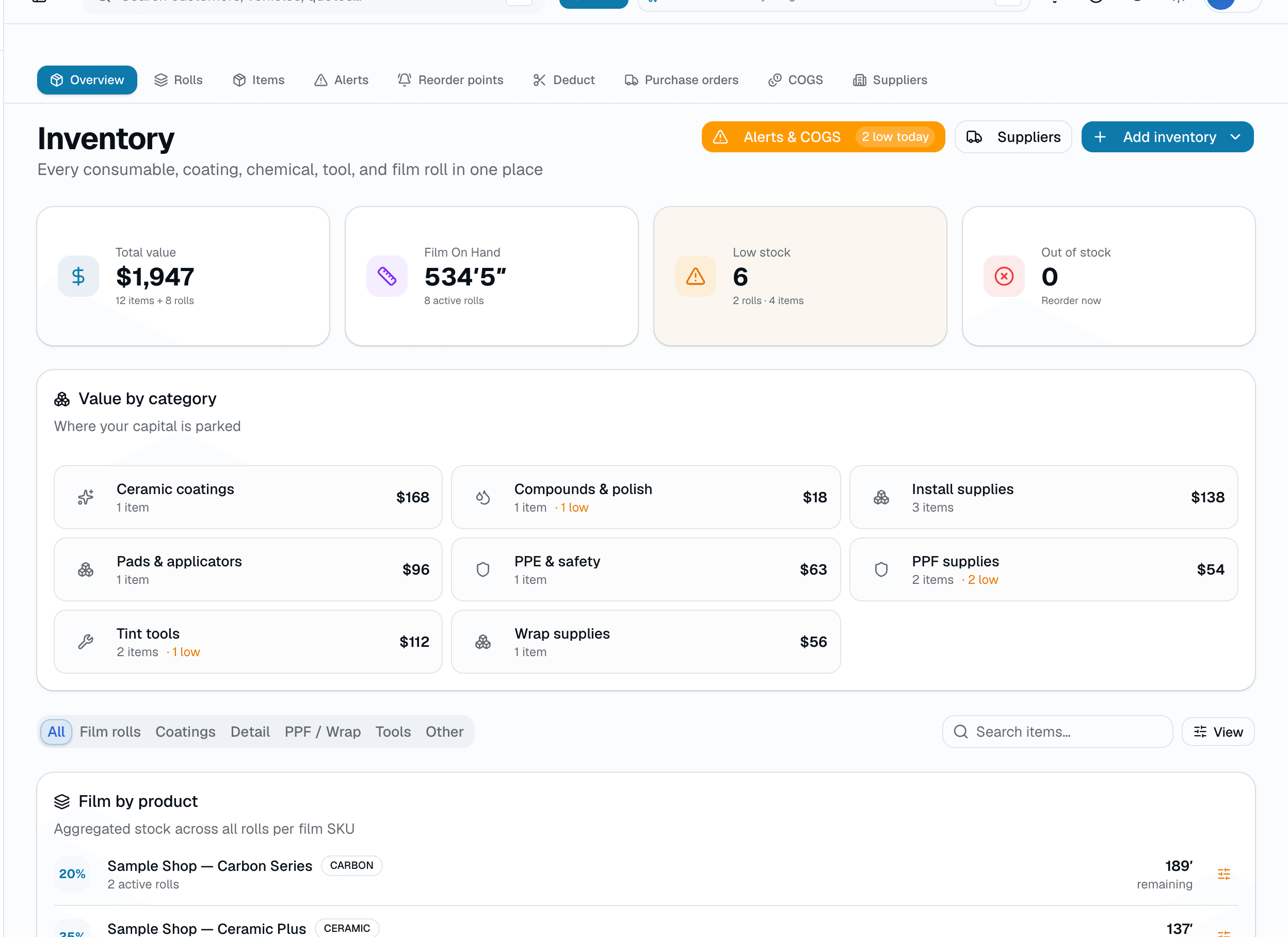
A rolls list that tells you what to reorder today
The inventory home isn't just a SKU list — set a reorder threshold per roll or item, and anything that's crossed it shows up on the low-stock view with how far under it is. Filter by service category (tint, PPF, detail, vinyl wrap, removal). One glance and you know what's below the line.
- Set a reorder threshold per roll or item, right from the row
- Low-stock view lists everything currently below its threshold
- Category filters + search on every view
02
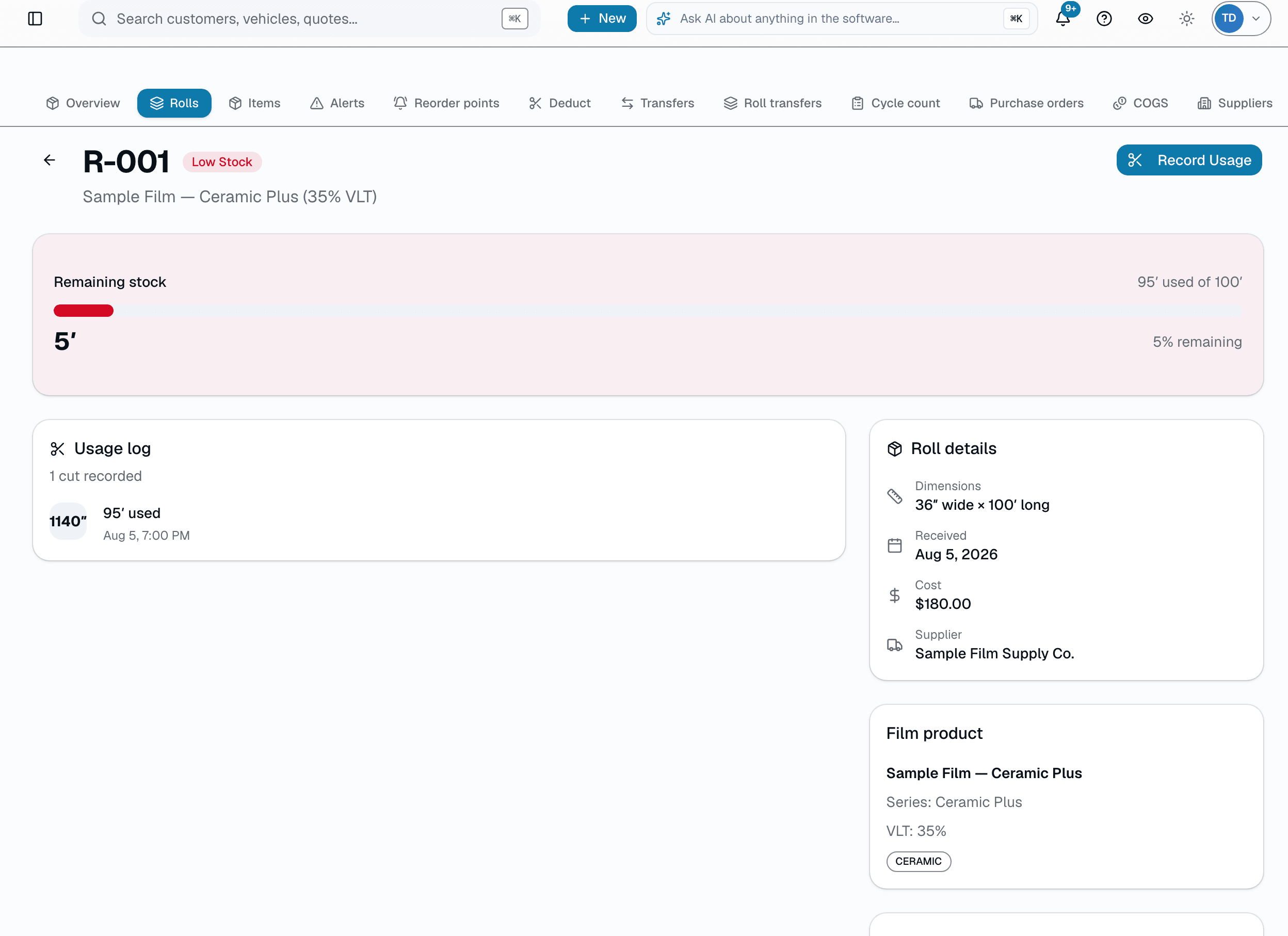
Every roll is a story: who cut from it, for whom
Click any roll and you see its full history: received date, cost, supplier, lot number, and every usage deduction ever recorded, with notes and who logged it. Record a new deduction in seconds, or delete a mistaken entry. A shop-wide installer leaderboard (30-day window, adjustable) shows total inches used and waste rate per installer, so you can spot a messy cutter before it costs you a roll.
- Full usage history: inches used, waste inches, notes, who logged it
- Cost, supplier, received date, and lot number on every roll
- Record or delete a usage entry in seconds
- Installer leaderboard: total inches + waste % over a rolling window
03
Record a deduction in seconds
After the install, open the roll, enter inches used, add a note if you want one, and save. The roll's remaining length updates immediately, and if it crosses your reorder threshold it shows up on the low-stock view. No barcode scanner, no camera — just a short form.
- Enter inches used + an optional note — no scanner required
- Remaining length updates immediately
- Crossing your reorder threshold surfaces the roll on the low-stock view
04
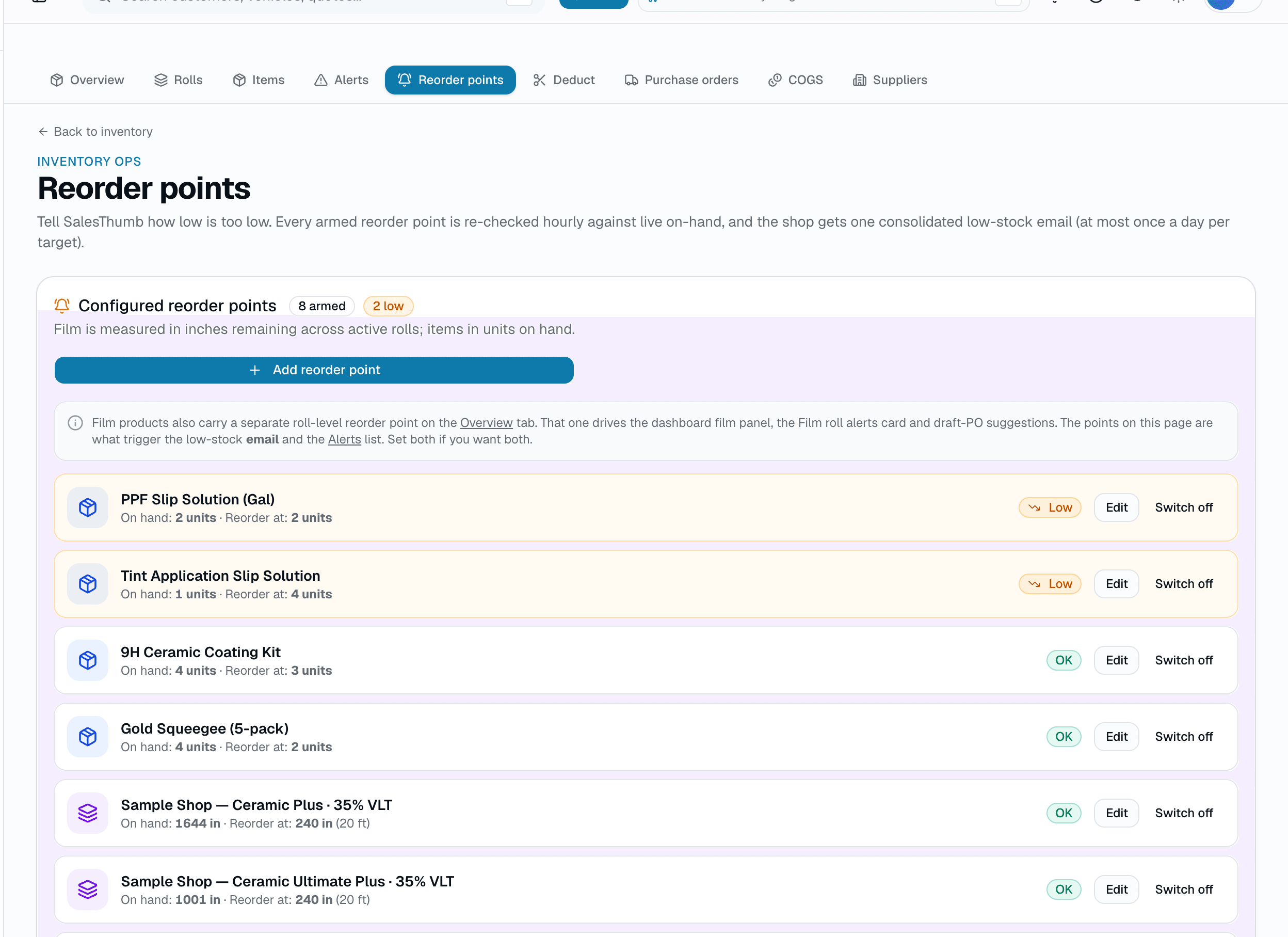
Low-stock alerts that surface what needs reordering
Set a reorder threshold per SKU. Cross it, and the roll or item shows up on the low-stock view with how far under threshold it is — the same list the dashboard's low-stock badge counts against. Reorder from your usual supplier the way you already do.
- Per-SKU / per-roll reorder thresholds, set inline
- Low-stock view lists everything currently under threshold
- Feeds the low-stock count badge shown elsewhere in the app
- A dedicated Reorder points screen shows every threshold you've set — not just the breached ones — and lets you switch one off, then back on, without losing its history
05
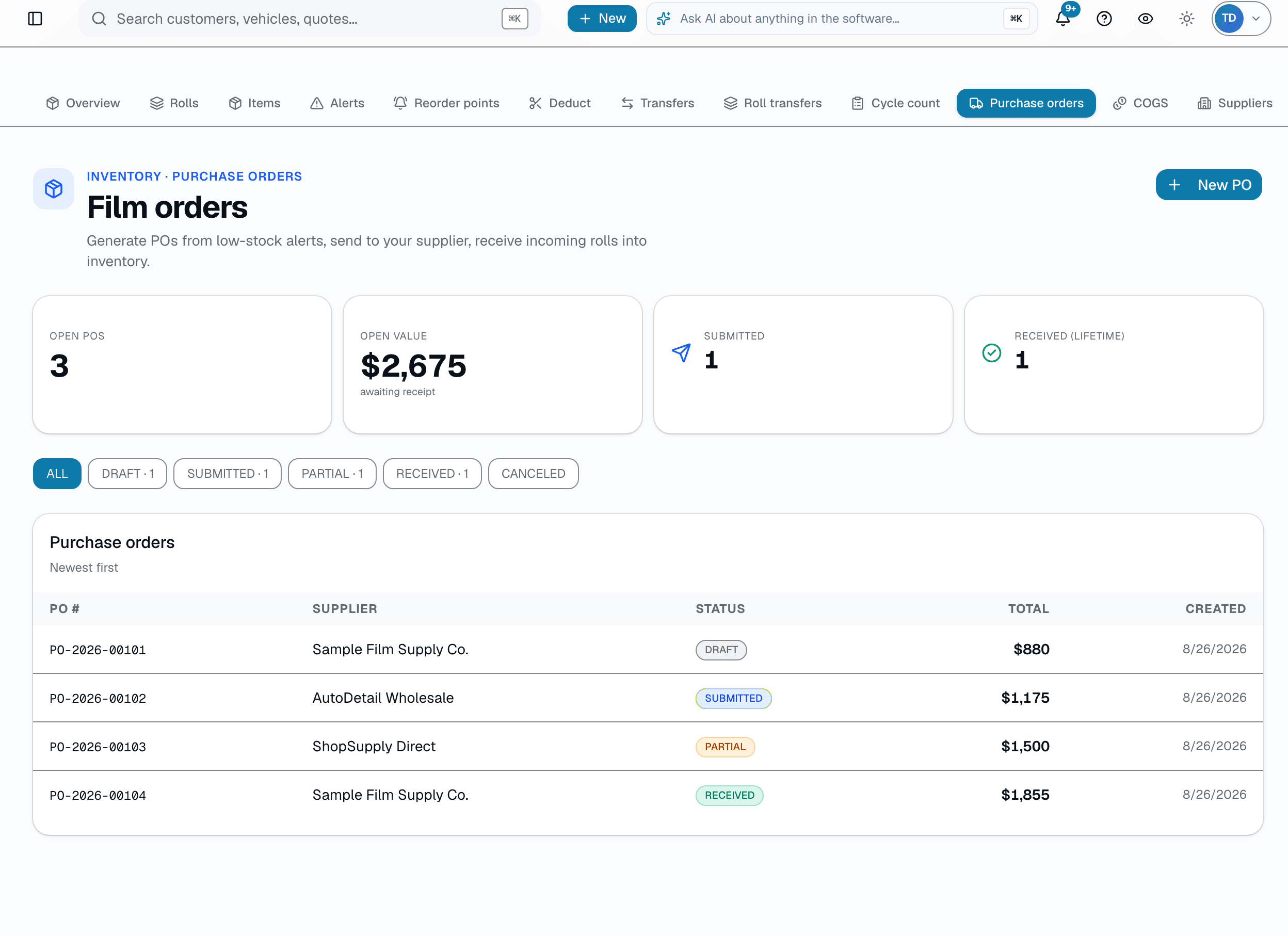
Receiving against a purchase order
Create a purchase order, send it, and when the shipment arrives, receive each line — SalesThumb creates a film-roll record per roll received, with the cost snapshot from the PO line. Partially-received lines stay open until the rest arrives.
- DRAFT → SUBMITTED → RECEIVED purchase-order lifecycle
- Receiving a line auto-creates a roll record per physical roll
- Partial receiving supported — the PO stays open until fully received
06
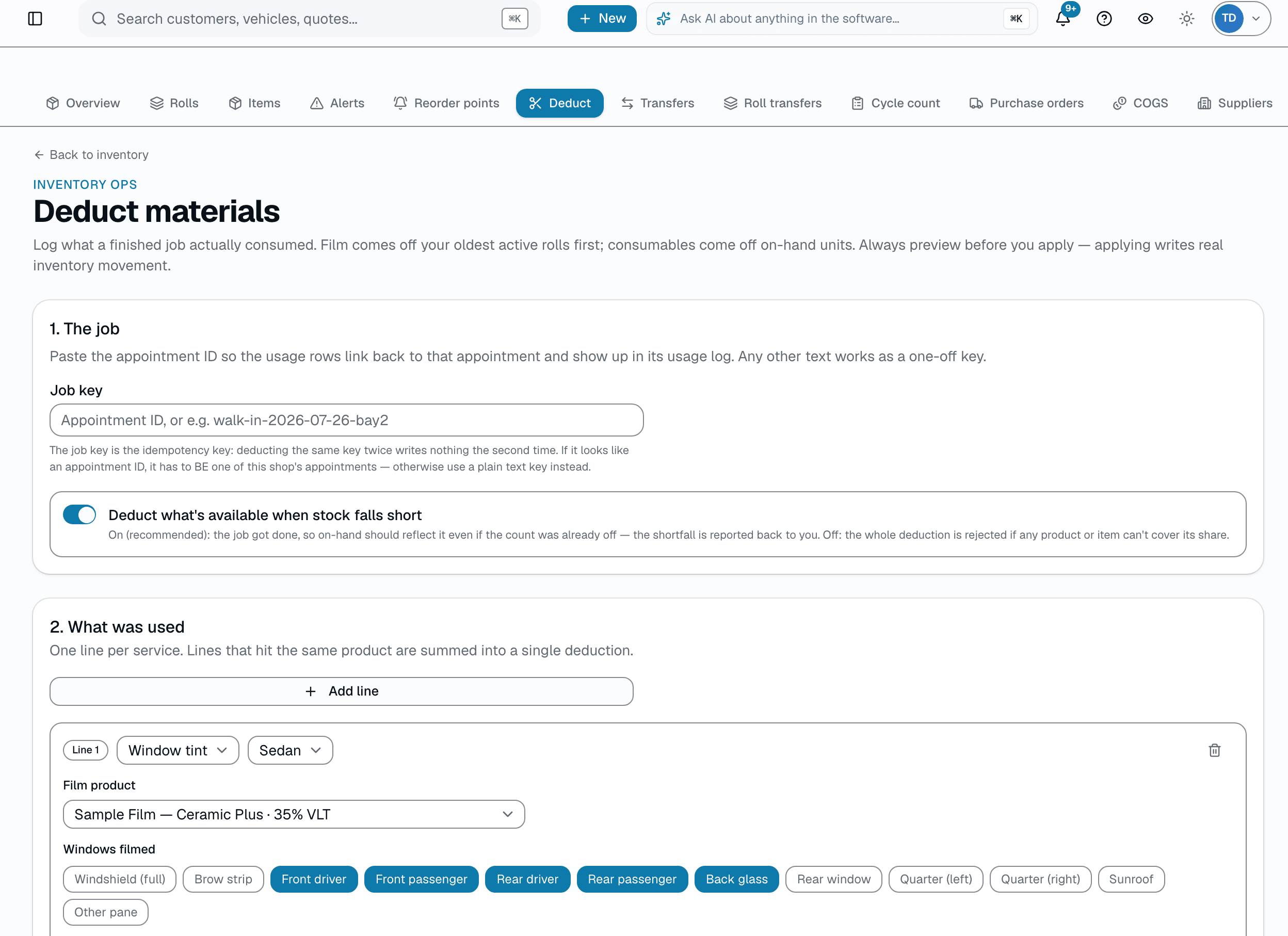
Deduct a whole job's materials in one pass
A single job can pull from more than one roll — a windshield strip off one, a rear-window panel off another, plus a bottle of ceramic sealant — which used to mean opening each roll's page and recording usage three separate times. The Deduct workflow builds one job's material lines in a single form (PPF, tint, ceramic/wrap/flat-glass by square footage, or a straight consumable count), computes exactly what each line will pull from stock, and won't let you apply anything until you've seen that preview. Edit a line after previewing and Apply disarms itself until you preview again — you can never review one payload and apply another.
- One form for a whole job: PPF, tint, ceramic/wrap/flat-glass, and consumable lines together
- Preview is mandatory — Apply stays disabled until you've seen exactly what will be deducted
- Change a line after previewing and the preview goes stale until you re-run it
- Confirms before it writes, and won't double-deduct a job that's already been applied
Everything it does
The complete list. The plan tag above shows which plans include it.
How you track it
- Rolls: track by remaining inches (tint / PPF / wrap)
- Bottles: track by remaining ounces (ceramic / sealant / compound)
- Batch + lot numbers on every unit
- Multi-location: rolls live at a specific shop, not a generic pool
- Shop-to-shop transfers for multi-location orgs (request, approve, ship, receive)
How you spend it
- Enter inches used for a roll or a quantity for an item — stock updates on save
- Deductions can link to the appointment — and through it, the vehicle and customer
- Gross profit per job — revenue minus logged material cost (no labor)
- Per-roll waste tracking — find your messy cutters
- Undo a deduction if the installer mis-enters an amount
- Job-based deduction: build one form with every material a job used — PPF, tint, ceramic/wrap/flat-glass, and consumables — preview it, then apply
How you replenish it
- Receive a shipment — enter SKU, qty, cost, and lot number
- Per-SKU low-stock thresholds with email alerts
- One screen for every reorder point — rolls and items, armed or disabled — with one click to re-arm
- AI reorder suggestions grouped by supplier — one draft PO per supplier (Pro plan)
- Cost-basis tracking for accurate COGS reporting
- Date-range COGS report: film and item cost against revenue
A tour of the screens
Every meaningful view, the path through it, and the moments that matter — so you know exactly what you're buying.
Roll detail
Per-roll page: usage history with notes, cost basis, and an installer waste-rate leaderboard..
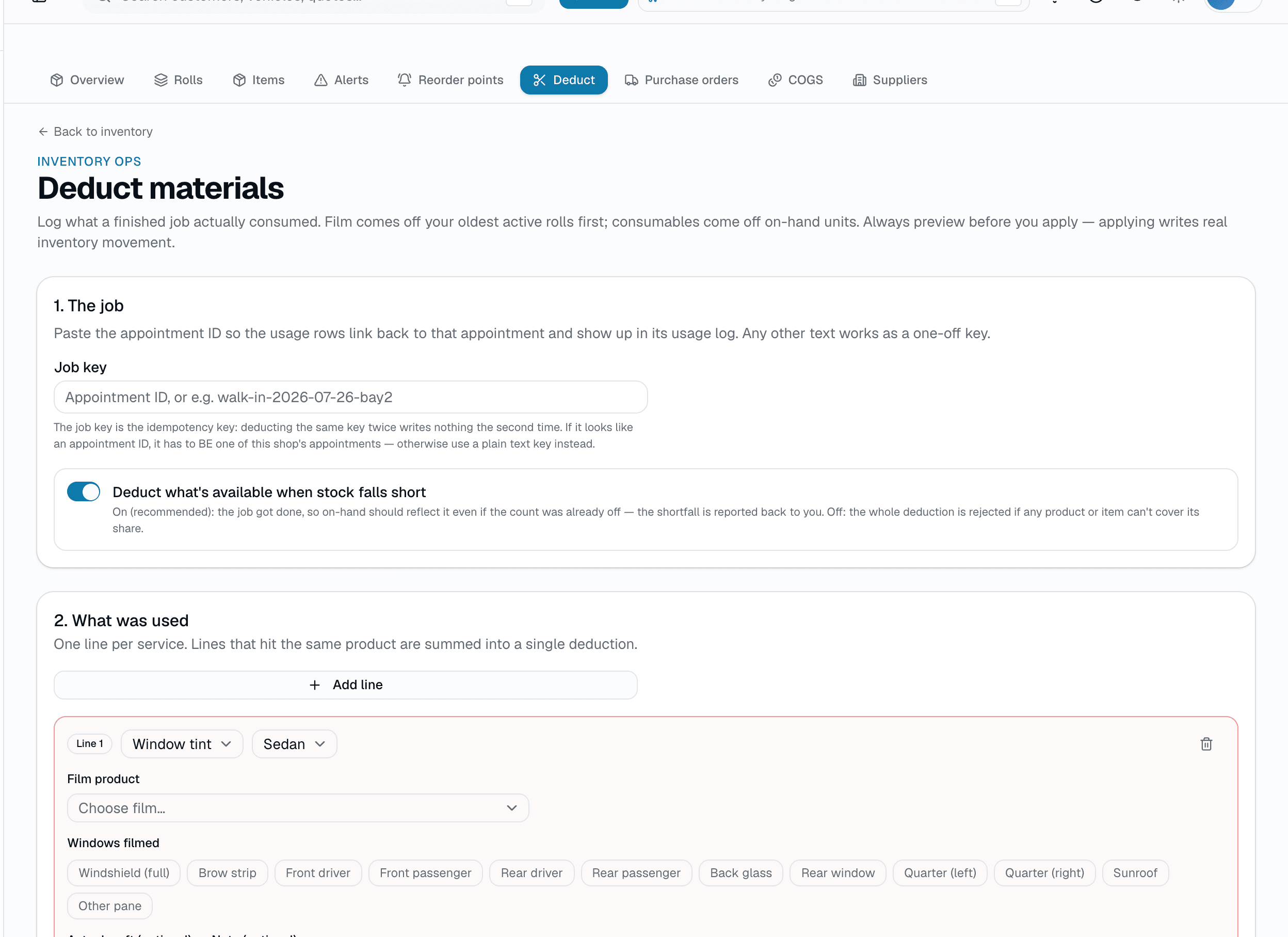
Record a deduction
Log what a finished job actually consumed — one line per service, with the panes filmed.
Film comes off your oldest active rolls first, and you preview before anything writes.
Receive against a PO
Receive a purchase-order line and SalesThumb creates a film-roll record per roll received..
Low-stock view
Everything currently under its reorder threshold, with how far under it is..
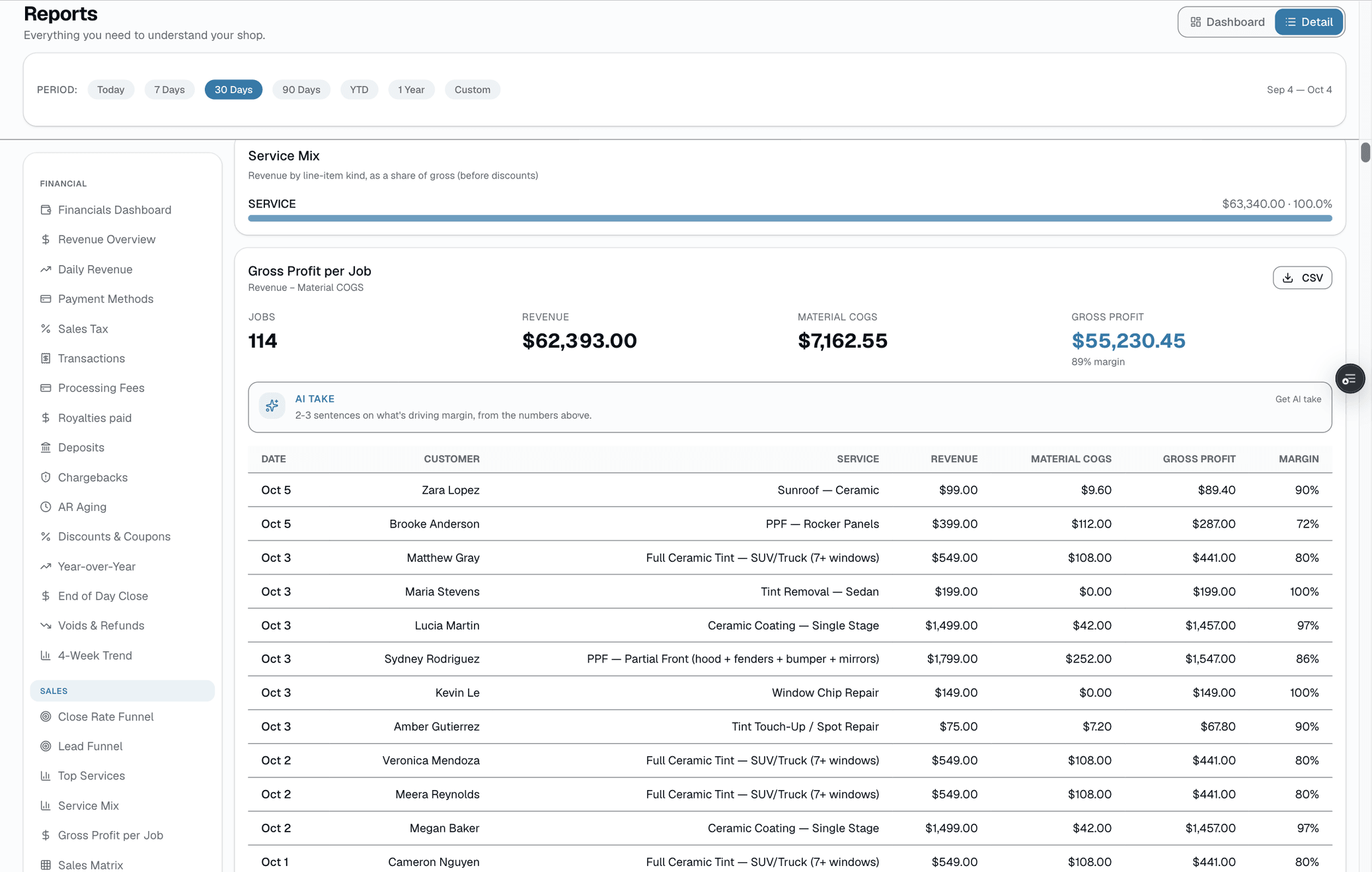
Cost of goods sold
Pick a date range: film cost, item cost, revenue, gross profit, and margin for that period..
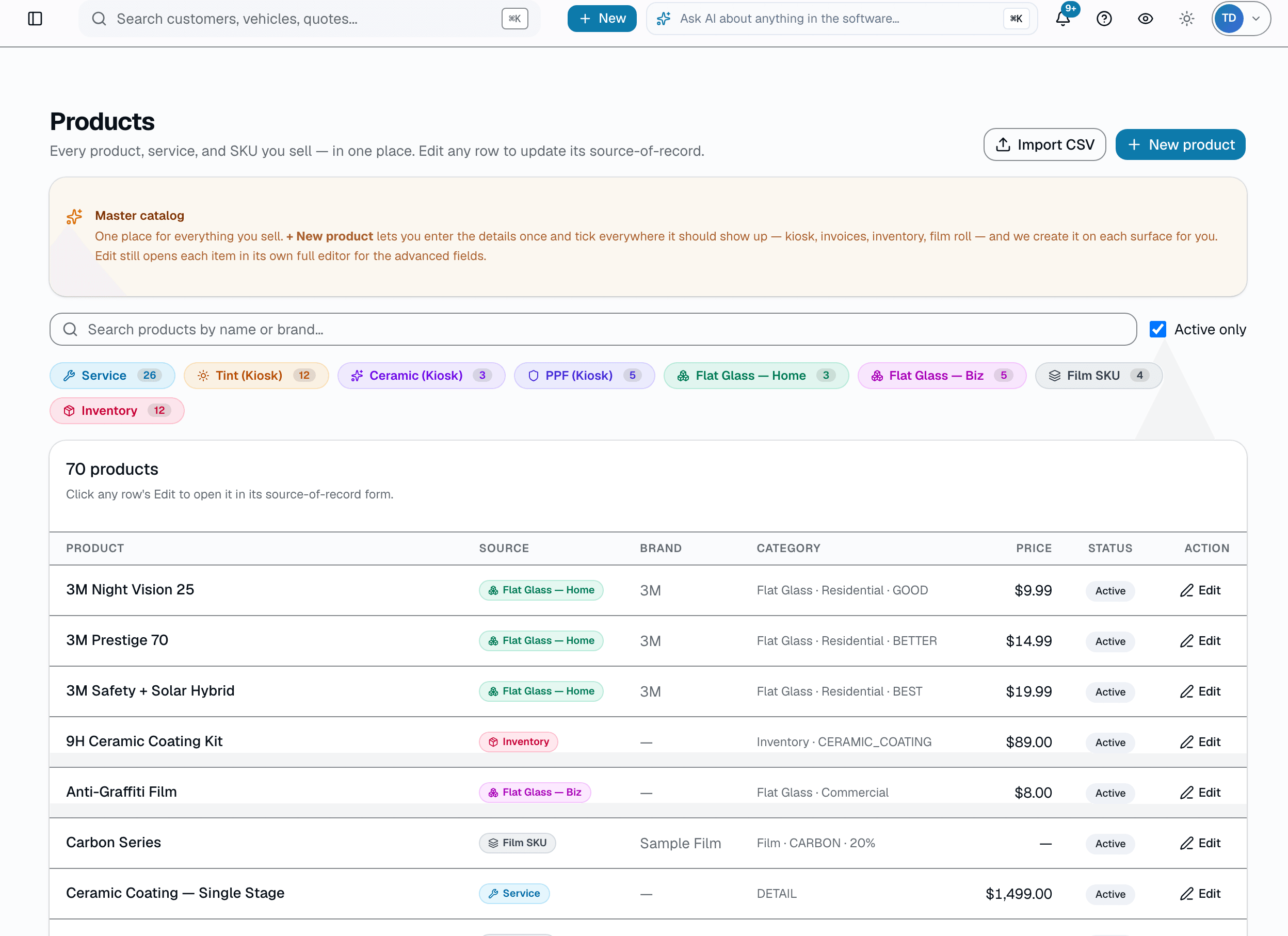
Service catalog
Every service you offer, with category, duration, default price, and a taxable toggle..
Who it's for
Built specifically for…
- Tint shops running more than 2 brands who've lost a cert to a batch recall
- PPF / wrap shops that track film by the inch to see yield and waste
- Ceramic coating shops tracking bottles by ounce, not eyeball
- Multi-location businesses that share inventory across shops
- Owners who've been burned by mid-install stockouts (and lost the customer)
What it replaces
The old way…
- A whiteboard with tally marks that lies to you
- A Google Sheet that nobody updates past Wednesday
- "I think we have enough" — the five most expensive words in a tint shop
- Paper warranty cards filed by hand with film-batch on the back
- Calling the supplier at 4:30 PM asking if same-day shipping is still a thing
Setting it up
- 1
Receive it
Receive against a purchase order, or add a roll directly: enter length, lot number, cost. It's now tracked.
- 2
Log usage
After a cut, open the roll and record inches used (and waste, if any) — optionally tied to the appointment.
- 3
Watch the threshold
Set a reorder threshold per roll or item. Cross it, and the roll shows up on the low-stock view.
What this looks like in a shop
Illustrative scenario: Friday morning you pull a tint roll off the shelf, open the roll's page, and see 240" remaining. You install a sedan (uses 68"), record the usage, and the roll updates to 172". When a roll crosses its reorder threshold, it shows up on the low-stock view so you catch it before you're stuck mid-install.
Good to know
- Which plan includes film inventory?
- Growth and Pro include it. See the Pricing page for everything in each plan.
- What software tracks window film and PPF rolls by length?
- SalesThumb tracks each tint, PPF or wrap roll by the length left on it, in inches, along with its batch and lot number and the shop it sits at. After a job, you enter what it used on one screen, preview it and apply it, and the roll's remaining length updates. When a roll drops below your threshold, SalesThumb emails a low-stock alert. Inventory is included on Growth and Pro.
- What about ceramic coating bottles or other consumables?
- Generic inventory items (chemicals, pads, PPE, tools) live in a separate items catalog tracked by unit of measure — ounce, each, box — with the same reorder-threshold model as rolls.
- Can I undo a mistaken deduction?
- Yes — delete the usage entry from the roll's history and the remaining length recalculates.
- Does this work for multi-location shops?
- Yes. Each roll lives at one shop, and inventory transfers between shops are logged.
- How does cost-of-goods reporting work?
- Pick a date range and SalesThumb totals film cost (usage × the roll's per-inch cost) and item cost against invoice revenue for that period, showing gross profit and margin. It's a period rollup, not a per-job or per-invoice breakdown.
Works with your stack
Payment processor
Feeds the revenue side of cost-of-goods reporting
Pairs well with
Warranty
Register a warranty when a job's done and SalesThumb emails the customer a link to the PDF certificate and its public verification page, usually within about an hour. Warranty registration and certificates are on Growth and Pro. Customers can file a claim from that same link.
Reports
SalesThumb's 83 reports live in a 14-category sidebar in the app; grouped here by the decision they answer, they sort into 6 clusters. The six: cash & revenue, job & service profitability, team & schedule performance, marketing & lead performance, customer retention & risk, and customer obligations — the reports inside each cluster export individually to CSV. Basic and Starter include the core reports; Gross Profit per Job, the installer and service-time reports, the close-rate funnel, Referral Attribution, ZIP Code Density, Channel CAC / ROI, Loyalty Program, and the inventory reports need Growth.
Quotes
Build a quote from real line items — services, film, parts, fees — send it, and the customer approves with a drawn signature and a card deposit on their phone. No account needed on either side.