The quick version
Online booking: Your own booking page, open around the clock.
- Branded mobile page — your logo, accent color, welcome message
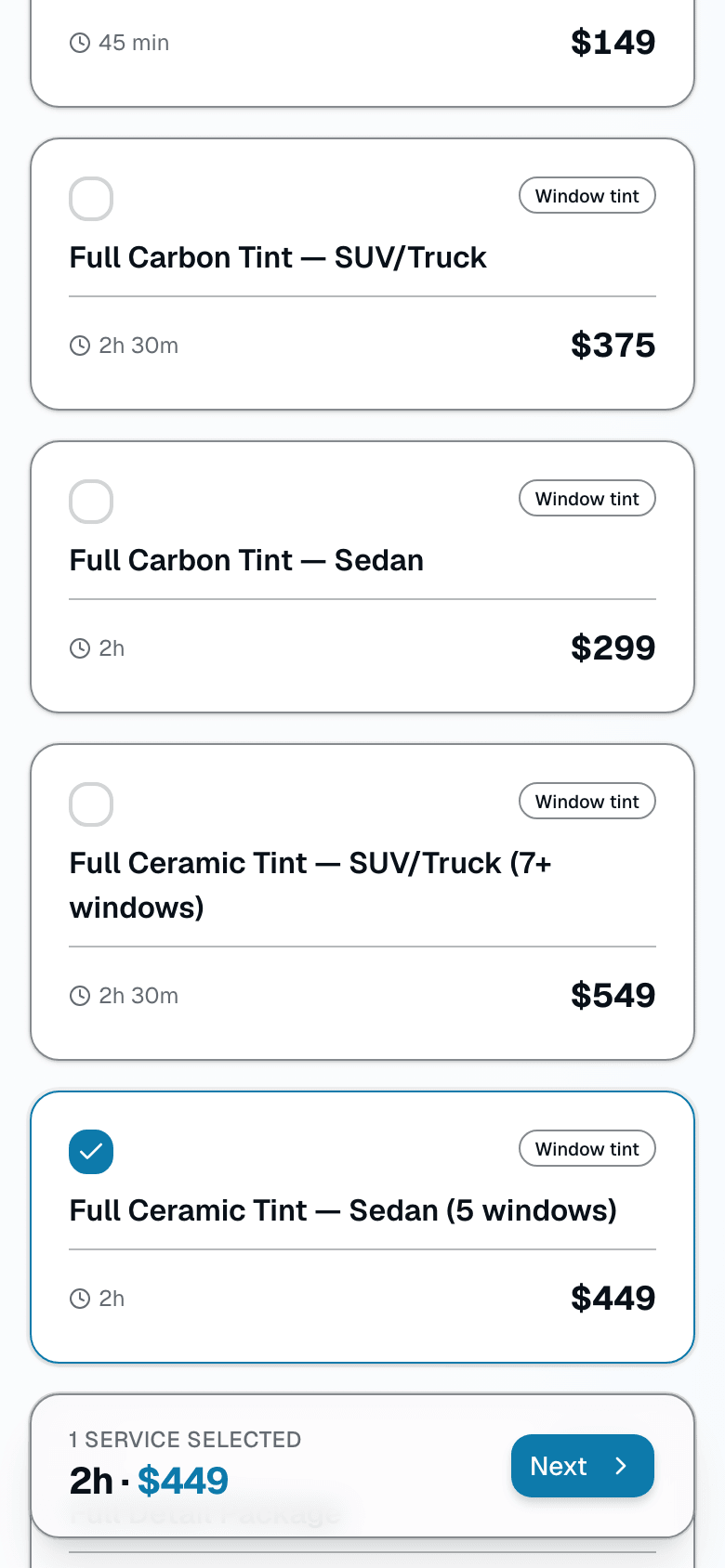
- Service picker with name, category, description, duration, and price
- "Describe what you need" helper matches plain-English requests to the right service
Customers walk a 4-step flow — pick a service, choose a time, enter their info, review and confirm — see your real availability pulled from the same calendar you run the shop on, and pay a deposit if you require one. Every booking creates a customer record, an appointment on your calendar, and a confirmation. You sleep, the funnel works.
A closer look
01
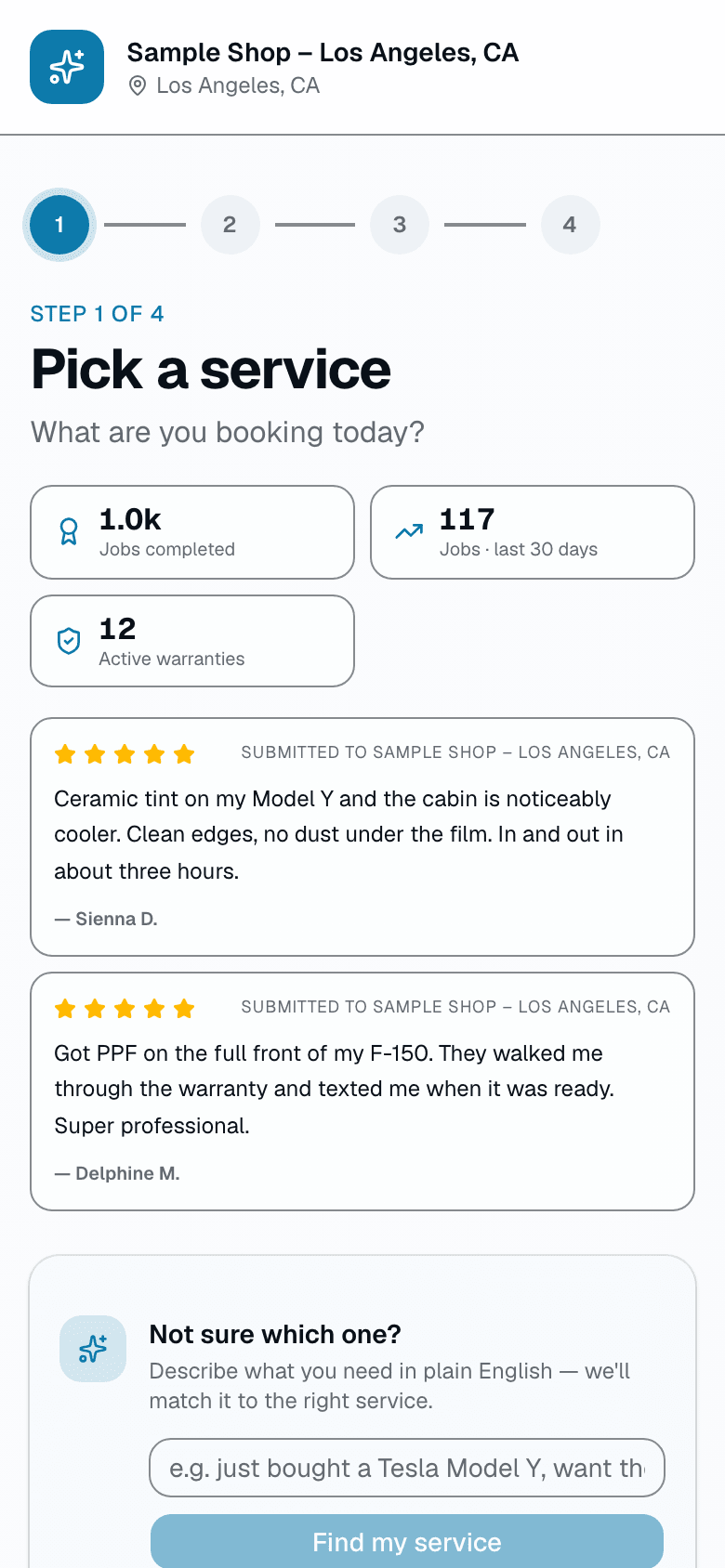
A booking page that looks like your brand, not ours
Your URL is salesthumb.com/book/midnight-tint, or point your own domain at it. Upload a logo, pick an accent color, write a welcome line. Customers walk 4 steps — service, time, their info, review & confirm — and never have to create an account. If a shop hasn't turned online booking on, the page tells the customer to call instead of showing a broken flow.
- Custom subdomain or your own domain
- Logo + accent color + welcome message per shop
- 4-step flow, no account required
- "Describe what you need" — type a plain-English request and get matched to a service
- Graceful fallback to a phone number when booking is off
02
Vehicle info without the friction
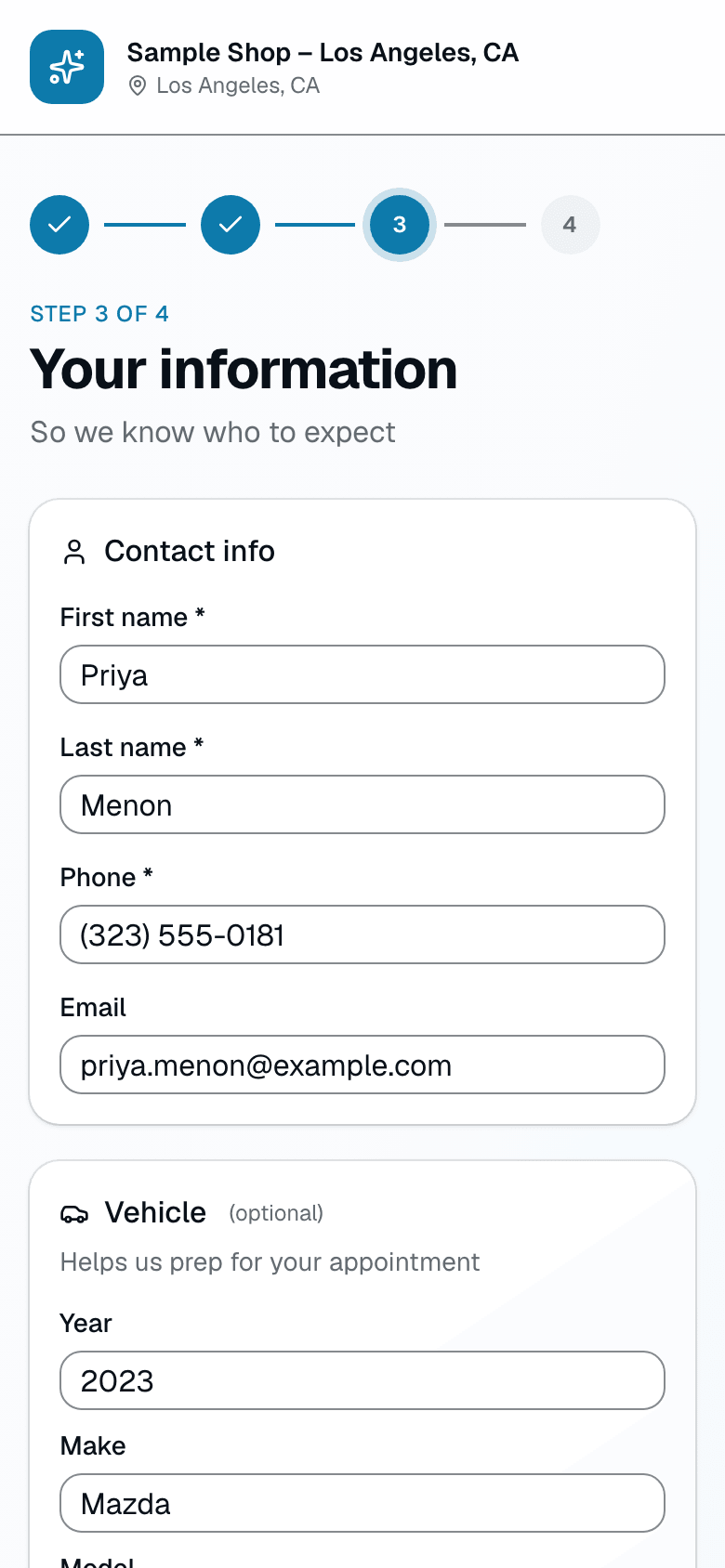
Step 3 asks for name, phone, and email — plus optional vehicle year, make, model, and color as plain text fields. No VIN required, no camera scan. If the customer arrived from a rebook link, their name, contact info, and vehicle are pre-filled from their last visit so they don't have to retype anything.
- Name, phone, email required; vehicle fields optional
- Year / make / model / color as simple text entry
- Rebook links pre-fill everything from the customer's last visit
- No app download, no account creation
03
Booking slots that match your real capacity
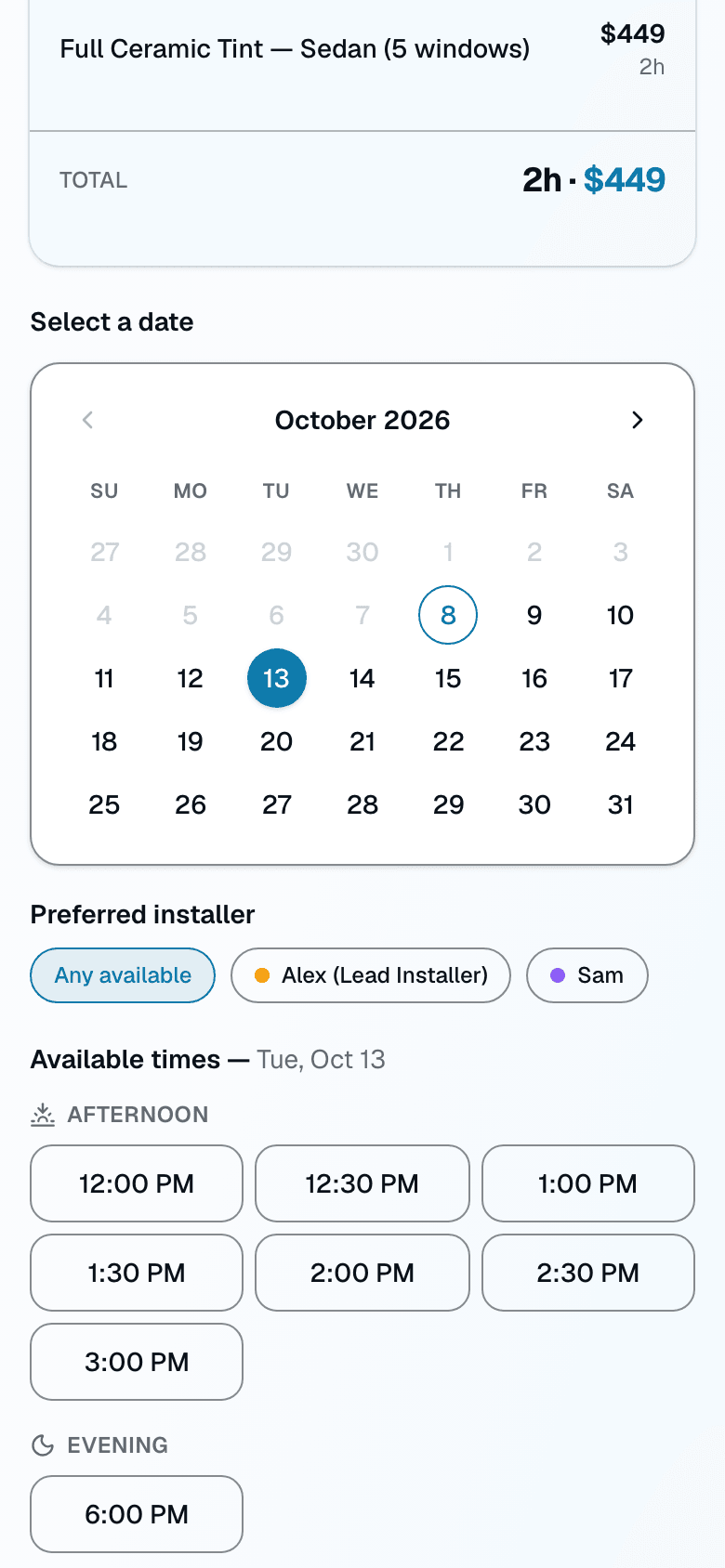
The times shown on step 2 come from the same calendar your shop runs on. Pick a date, and available slots for the selected service and (optionally) a preferred installer are grouped into morning, afternoon, and evening. Business hours, lead time, max-advance window, and blackout dates are all respected before a slot is ever shown — there's nothing to double-book.
- Live availability from your real calendar — not a static schedule
- Grouped by morning / afternoon / evening for easy scanning
- Respects business hours, lead time, max advance, and blackout dates
- Optional preferred-installer filter
04
Deposit collection without the awkward follow-up
When your policy requires a deposit, the customer pays by card right after they submit the booking — the appointment is already on your calendar and held while they pay. No more "hey, can you Venmo me the deposit to confirm?" followed by silence.
- Flat-dollar or percent-of-total deposit, set shop-wide
- Card payment collected right after the booking is submitted
- The slot is held for 30 minutes while they pay; an unpaid hold is released automatically
- Confirmation number and shop contact info shown either way
05
Policies that match how your shop actually works
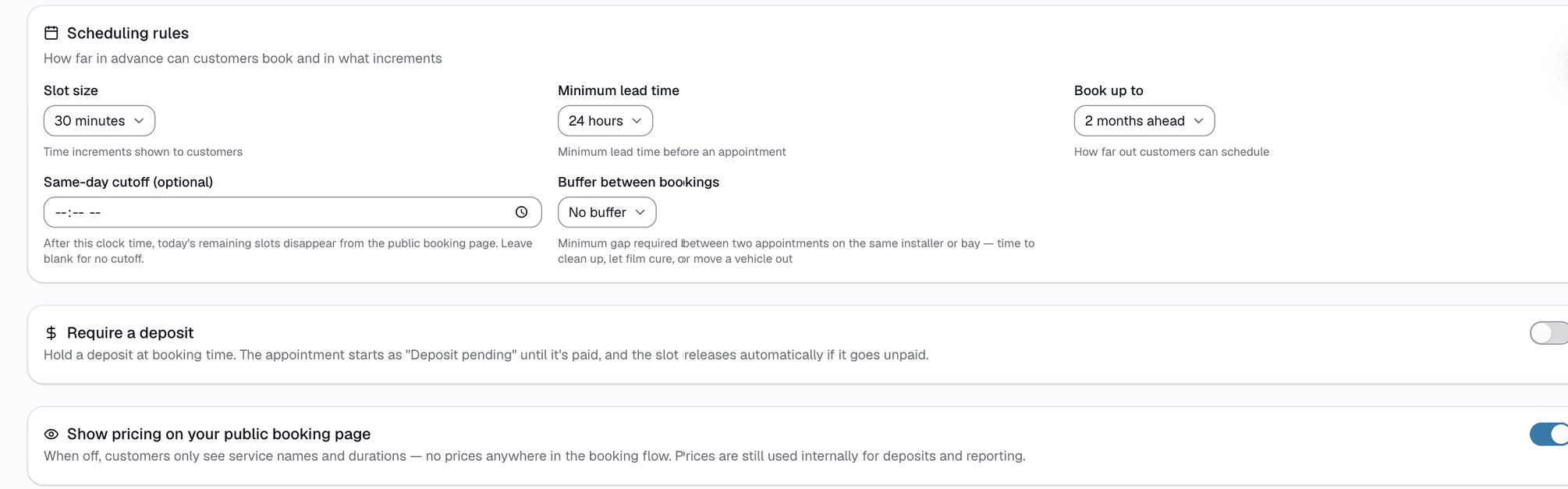
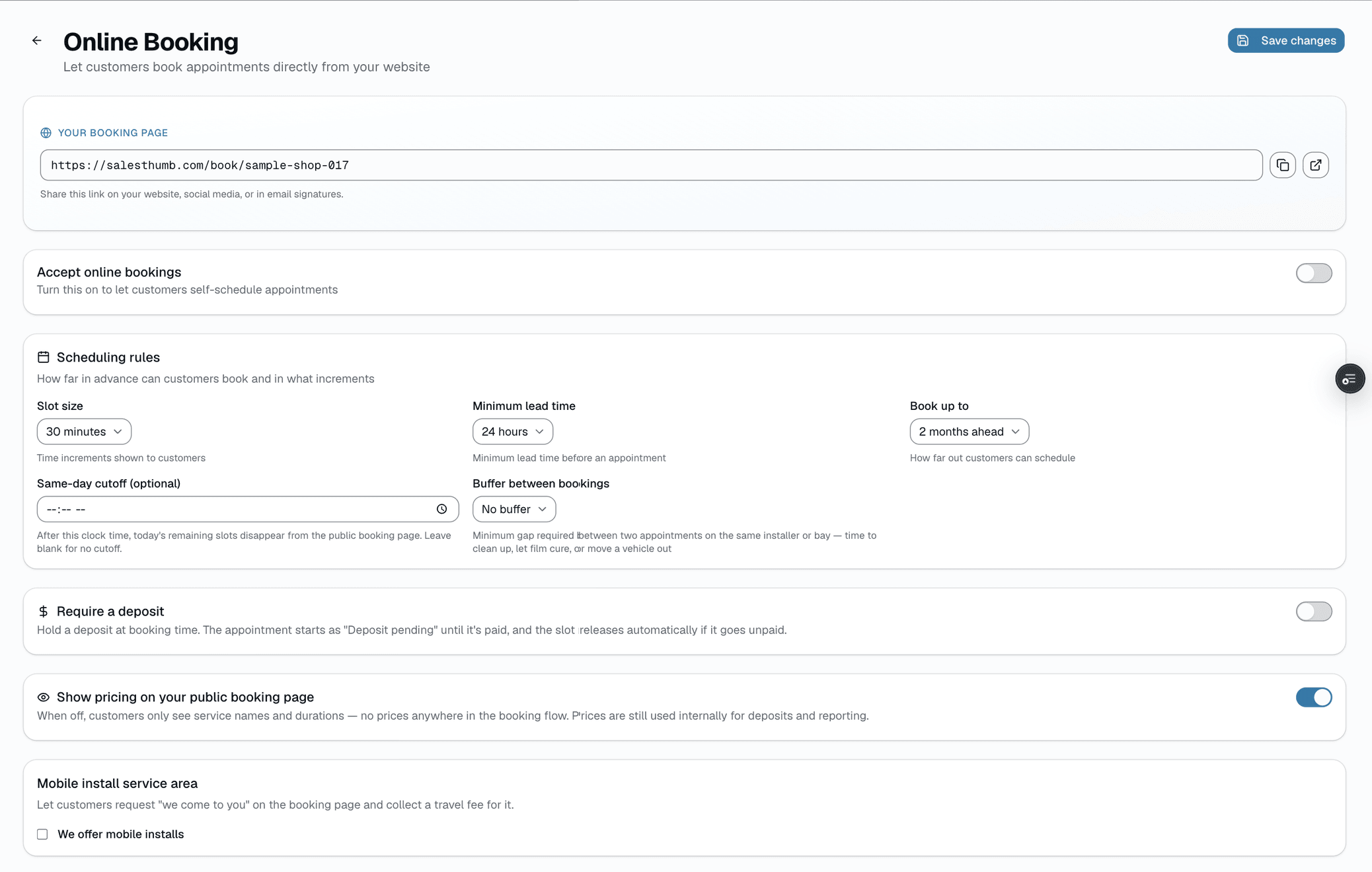
Set lead time, max advance, and business hours per day in Settings → Online Booking, and blackout dates in the Sales Matrix estimate-scheduler settings, and every slot shown to a customer already respects them. Choose exactly which services are open to online booking — everything else stays quote-or-call-in.
- Lead time + max advance, shop-wide
- Business hours per day
- Blackout dates for holidays or days you're closed
- Choose which services are bookable online
- Deposit requirement (flat or percent) applied to every online booking
Everything it does
The complete list. The plan tag above shows which plans include it.
The customer experience
- Branded mobile page — your logo, accent color, welcome message
- Service picker with name, category, description, duration, and price
- "Describe what you need" helper matches plain-English requests to the right service
- Calendar + time-of-day grouped slot list (morning / afternoon / evening) pulled from real availability
- Optional preferred-installer picker, showing pinned award badges
- Vehicle year/make/model/color — optional text fields, no scan required
- Card payment deposit checkout when a deposit is required
Your policies, enforced automatically
- Lead time (minimum hours' notice) and max advance (how far out customers can book)
- Business hours per day, with blackout dates for holidays or closures
- Deposit requirement — flat dollar amount or percent of total, shop-wide
- Choose which services are open to online booking at all
- Double-booking guard — the shop's real calendar is the source of truth
What you get after a booking
- Booking appears on your calendar against the right installer
- Customer record created (or matched) with name, phone, email
- Deposit shown as paid on the appointment once collected
- Confirmation number shown to the customer immediately
- Confirmation + reminder texts through the messaging system
A tour of the screens
Every meaningful view, the path through it, and the moments that matter — so you know exactly what you're buying.
Service picker
Service list with name, category, description, duration, and price..
Your info
Name, phone, and email required; vehicle year/make/model/color are optional text fields — no scan..
Choose a time
Live availability from your real calendar, grouped into morning / afternoon / evening..
Policy controls
Lead time, max advance, business hours, blackout dates, and which services are bookable — set per shop..
Who it's for
Built specifically for…
- Shops whose Instagram DM inbox is the de facto booking system
- Owners tired of "hi can I get ceramic done Saturday?" at 11 PM
- Anyone who's double-booked a bay because two people texted the same day
- Multi-installer shops that can't keep staff availability in one person's head
What it replaces
The old way…
- Instagram DMs as the primary booking channel
- Google Forms + a shared Google Calendar
- The "text us to book" link in bio that loses interested customers
Setting it up
- 1
Turn it on
Settings → Online Booking → choose which services are bookable and set your policies. Your page is live at your shop slug + /book.
- 2
Customers self-serve
They pick a service, pick a time from real availability, enter their info, and pay a deposit if required.
- 3
It lands on your calendar
The appointment is already on your schedule and the customer record is created or matched. No manual entry.
What this looks like in a shop
Illustrative scenario: Thursday at 11pm a customer finds your shop on Instagram. They tap your bio link, pick ceramic tint, see your real availability, and book a Saturday slot. If your policy requires it, they pay a deposit right there. You wake up to a confirmed booking on your calendar and a new customer record — no DM back-and-forth.
Good to know
- Which plan includes online booking?
- Every plan includes it, Basic through Pro. See the Pricing page for everything in each plan.
- Is there online booking software built for tint, PPF and detail shops?
- Yes. SalesThumb gives each shop its own branded booking page at salesthumb.com/book/your-shop. Customers pick a service and a time, and pay a deposit if you require one, 24/7. You choose which services can be booked online.
- Can I require a deposit?
- Yes — set a flat dollar amount or a percent of the total, shop-wide, from Settings → Online Booking. The customer pays by card right after they submit the booking.
- Can I choose which services are bookable online?
- Yes. Only the services you allow-list in Settings → Online Booking show up on the public page — everything else stays call-in or quote-only.
- Can I use my own domain?
- Yes, custom domains are supported per shop.
- What if two customers try to book the same slot?
- The booking page reads availability from your live calendar, so a slot that's already taken won't be offered to the next customer browsing the page.
- Do I need a VIN or license plate to book?
- No. Vehicle year, make, model, and color are optional plain-text fields on the booking form — nothing to scan.
Works with your stack
Payment processor
Deposit collection at booking
Twilio
Confirmation + reminder SMS
Google Workspace email
Confirmation email delivery
Pairs well with
Scheduling
Every installer, every bay, every appointment in one view. Drag to reschedule. Color-coded by status. Double-book detection with explicit confirm-to-override.
Payments
Accept cards online with a one-click pay link in SMS or email. Partial payments, deposits, refunds — all handled. Flat-rate card pricing on every plan, or interchange-plus on Growth and Pro — your rate is visible any time in Reports → Fees.
Two-way SMS
However a customer reaches you — a text, an email, a Facebook or Instagram message, or WhatsApp — it lands in the same inbox, on the same customer, and you answer from there.