Hold the button. Talk. It plays out loud on the other end.
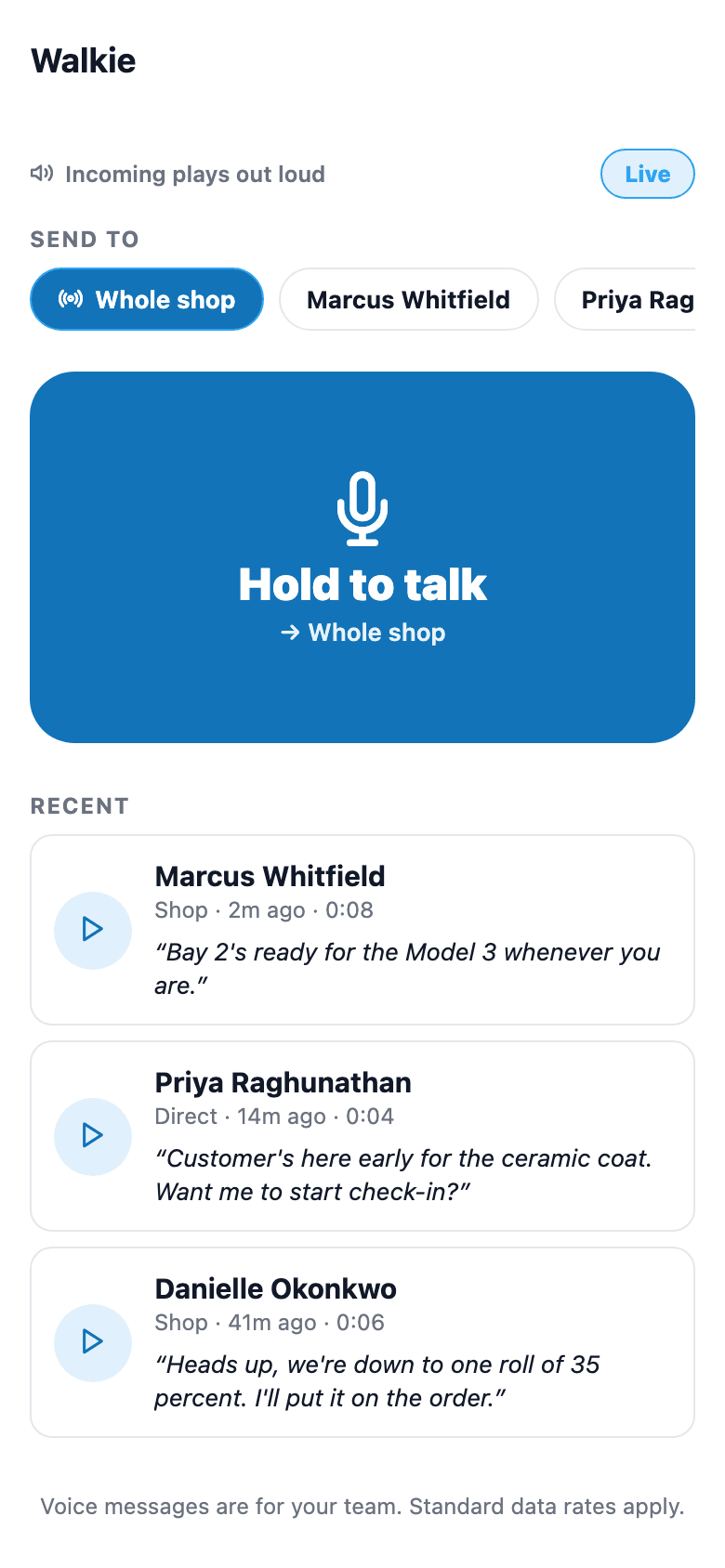
Texting is slow when you've got tint film on your hands and a question for the guy in Bay 2. Walkie is push-to-talk built into the app everyone already has open: hold the mic button, talk, release — the clip goes to the whole shop or one teammate and plays out loud on their end automatically while they have Walkie open, no tap required (with the app closed it arrives as a push notification).
The quick version
Walkie: Hold a button and talk to your team, like a walkie-talkie.
- Hold-to-talk recording, release to send
- Send to the whole shop or one specific teammate
- Incoming clips auto-play out loud (toggle Live / Muted)
Missed it? It stays in the inbox to replay, and a free on-device transcript sits right under the clip so you can skim what was said without hitting play.
A closer look
01
Plays out loud, not just delivered
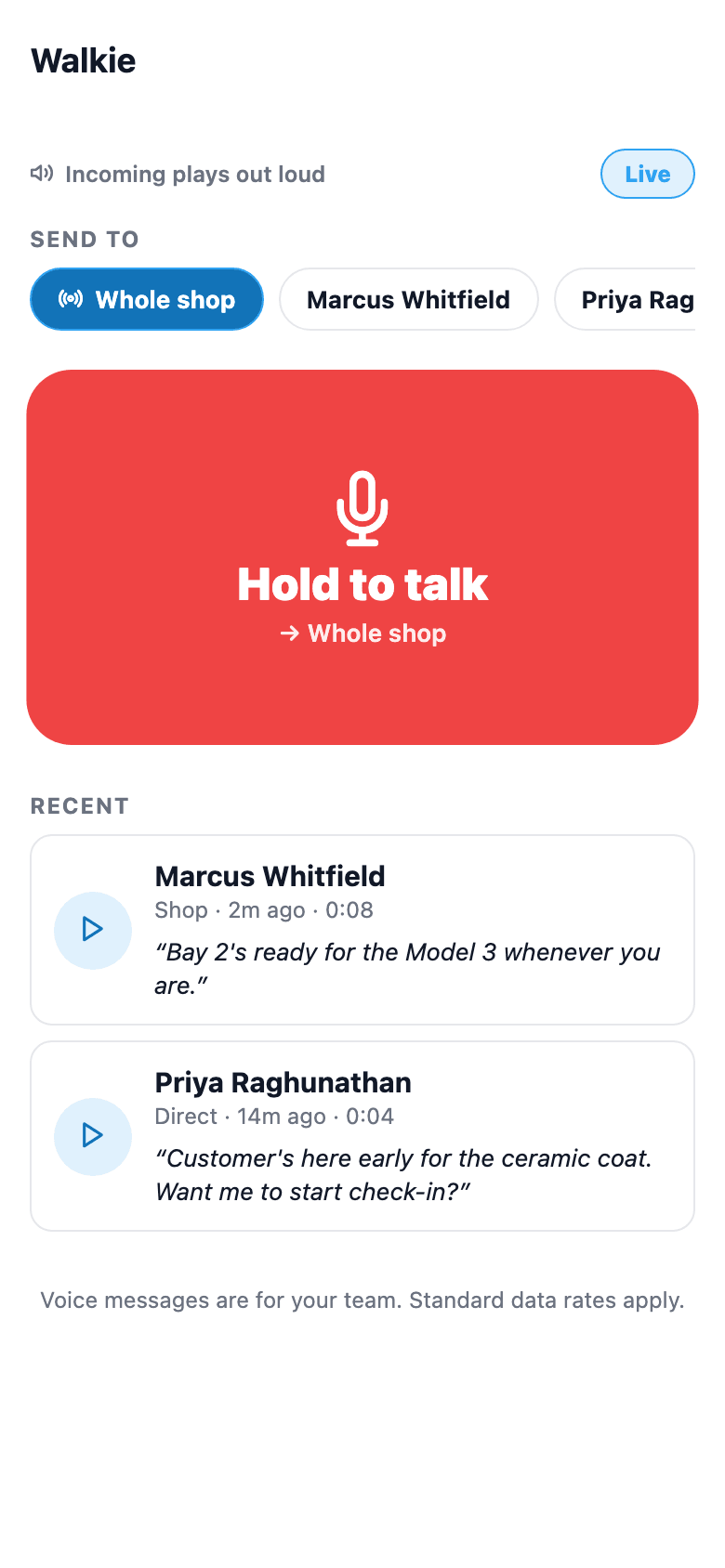
Most voice-message apps make you tap play. Walkie is built to behave like an actual walkie-talkie: incoming clips auto-play out loud through the speaker within a few seconds while the Walkie screen is open (it checks every 5 seconds), so a tech with their hands full still hears it. With the app closed, a clip arrives as a push notification instead. There's a Live/Muted toggle for when that's not the moment — mute it and clips just wait quietly in the inbox instead.
- Auto-play toggle: Live (out loud) or Muted (inbox only)
- Recording flips the phone to mic mode only while the button is held — otherwise it stays in loud-speaker playback mode
- A tap under 0.4 seconds is ignored so an accidental brush doesn't send a blank clip
Everything it does
The complete list. The plan tag above shows which plans include it.
- Hold-to-talk recording, release to send
- Send to the whole shop or one specific teammate
- Incoming clips auto-play out loud (toggle Live / Muted)
- Free on-device speech-to-text transcript under each clip — no cloud, no per-use cost
- Clips stay in the inbox to replay if missed
- Gated to staff with a mobile role (installer, sales, or manager) — internal comms only, no customer data
Who it's for
Built specifically for…
- Multi-bay shops where a quick question beats a text thread
- Techs whose hands are full of tint film, tools, or a customer's keys
- Shops that want a fast broadcast to everyone, not a group chat everyone has to scroll through
What it replaces
The old way…
- Yelling across the shop floor
- A group text thread everyone has to scroll back through to find the one relevant message
- A separate walkie-talkie radio purchase and its own charging/maintenance routine
Setting it up
- 1
1. Pick who hears it
Chip row at the top: 'Whole shop' or a specific teammate from the shop's roster.
- 2
2. Hold the button, talk, release
The mic activates only while held; releasing stops the recording and uploads it.
- 3
3. It plays out loud on arrival
Recipients with Walkie open and auto-play on hear it within a few seconds, hands-free; everyone else gets a push notification. A free on-device transcript is attached in parallel and shown under the clip in the inbox.
What this looks like in a shop
Illustrative scenario: Marcus is elbow-deep in a ceramic install and needs to know if the next customer's Tesla is checked in yet. He holds the Walkie button, says the question, releases — it goes to the whole shop and plays out loud on Priya's phone at the front desk within a few seconds, since she has Walkie open. She answers the same way without touching her keyboard. If Marcus missed it because he had earbuds in, the clip's still sitting in his inbox with a transcript underneath so he can read it instead of replaying the audio.
Good to know
- Does the transcript cost anything or send audio to the cloud?
- No — transcription runs entirely on-device using the phone's built-in speech recognizer. There's no per-use cost and the audio itself isn't sent to a third-party transcription service.
- What if the transcript fails or the device doesn't support it?
- The transcript is strictly best-effort — if it fails, is unsupported, or takes too long, the clip still sends with no transcript. The app waits up to 15 seconds for the transcript before sending, so a slow recognizer can delay a clip by that much, but a failed transcript never stops it from sending.
- Who can use Walkie?
- Anyone with a mobile role of Installer, Sales, or Both, plus owners/admins/managers. Staff with mobile role None don't get the tab.
- Is this used for anything customer-facing?
- No — Walkie is internal team communication only. It isn't connected to customer records or payments, and customers never see it.
Pairs well with
Role-based tabs
Two dimensions decide what a teammate can open: mobile role (Installer / Sales / Both / None) gates the field tabs, membership role (Owner / Admin / Manager) gates the manager Dashboard. Set once in Settings → Team; the app shows and blocks screens accordingly.
Two-way SMS
However a customer reaches you — a text, an email, a Facebook or Instagram message, or WhatsApp — it lands in the same inbox, on the same customer, and you answer from there.
Mobile Apps
The installer app shows today's schedule, captures photos, clocks in/out, and updates job status. The customer app shows their active job's progress, appointments, quotes, invoices, and warranty status. Both are native iOS + Android apps, live now on the App Store and Google Play as the SalesThumb app; a fully white-labeled app under your own brand is further out on the roadmap.