One app. Everyone's home screen looks different.
A tech and a salesperson shouldn't see the same tab bar — one needs today's jobs and the schedule, the other needs customers and quotes, and neither needs the owner's Dashboard cluttering their menu. SalesThumb mobile gates its whole navigation on two fields already set per employee: mobile role decides field access (Today/Schedule for installers, Customers/Quotes for sales), and the shop's membership role decides manager access (Dashboard for Owner/Admin/Manager).
The quick version
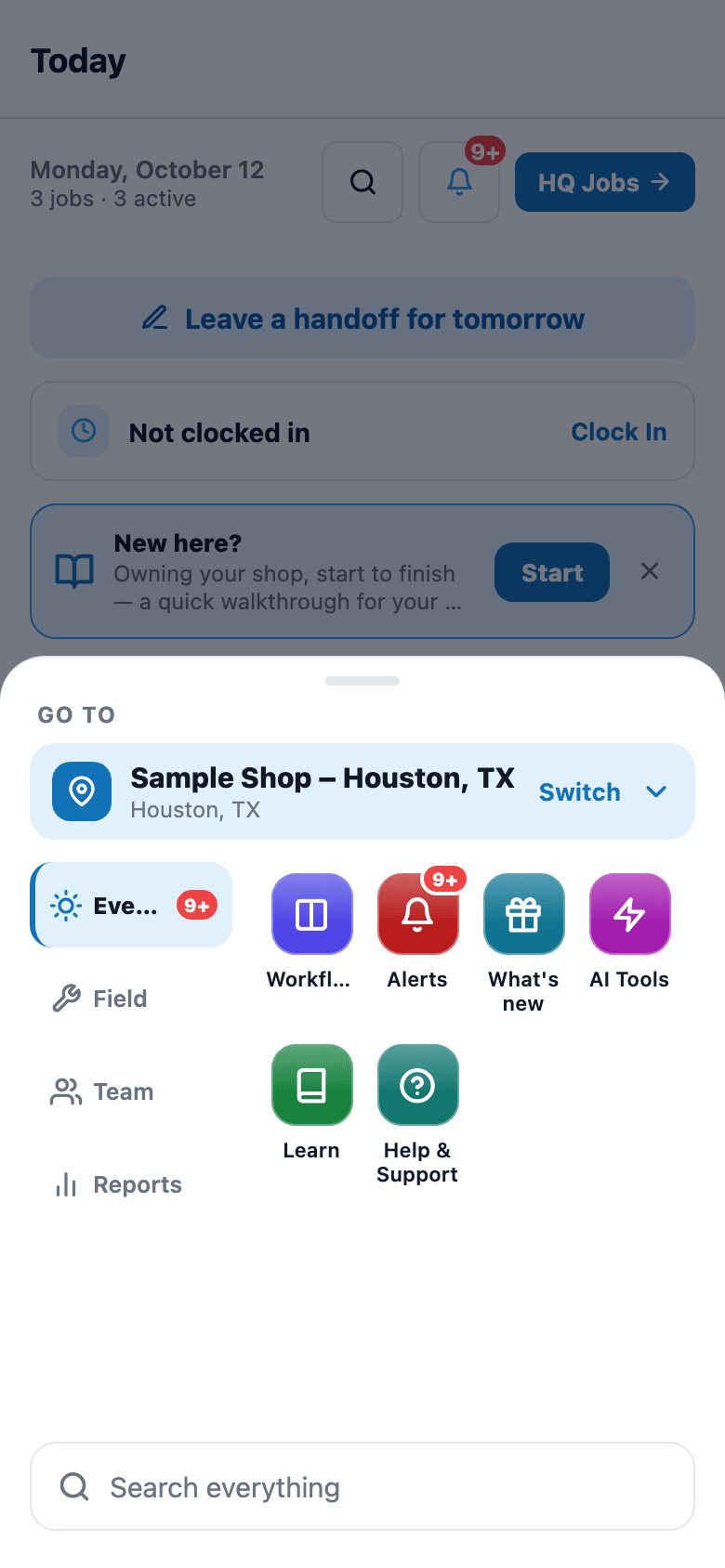
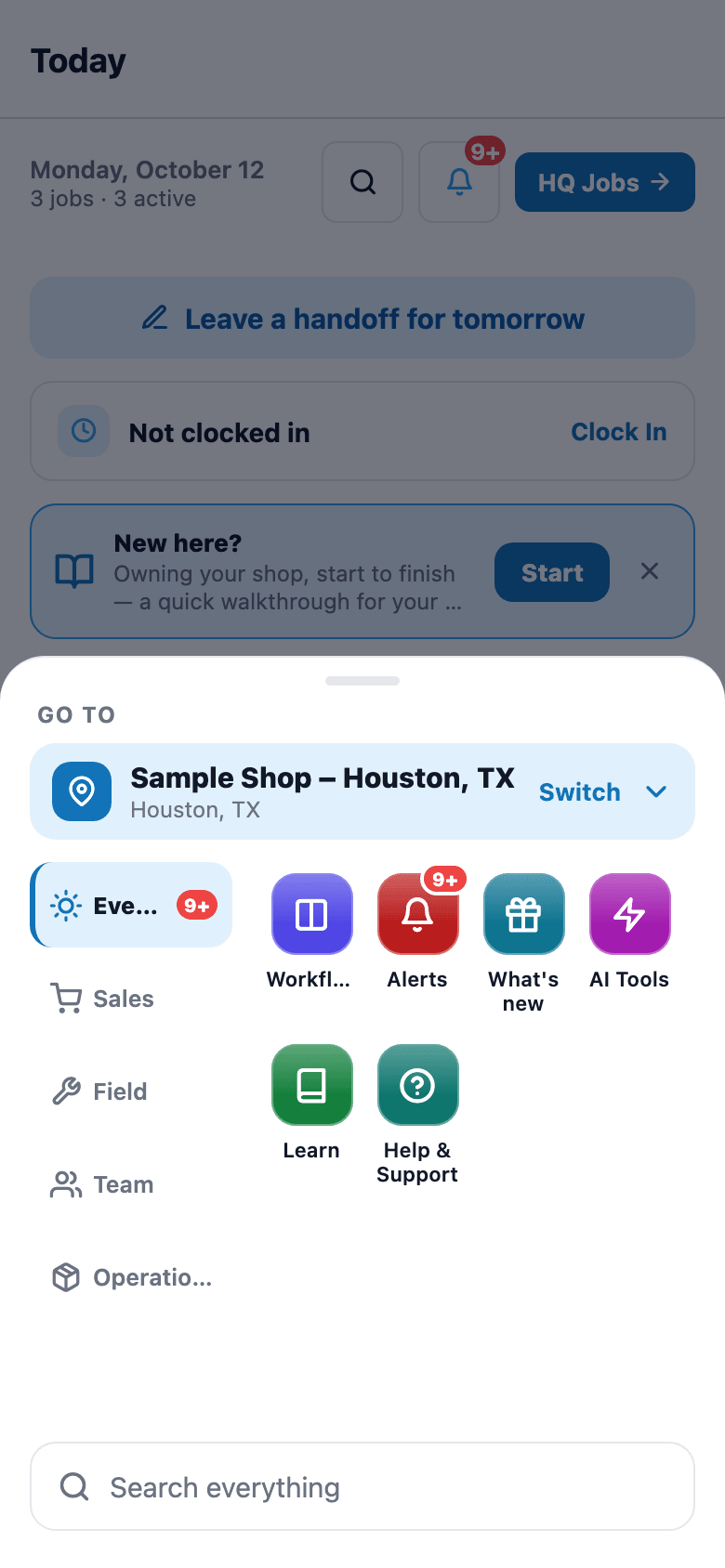
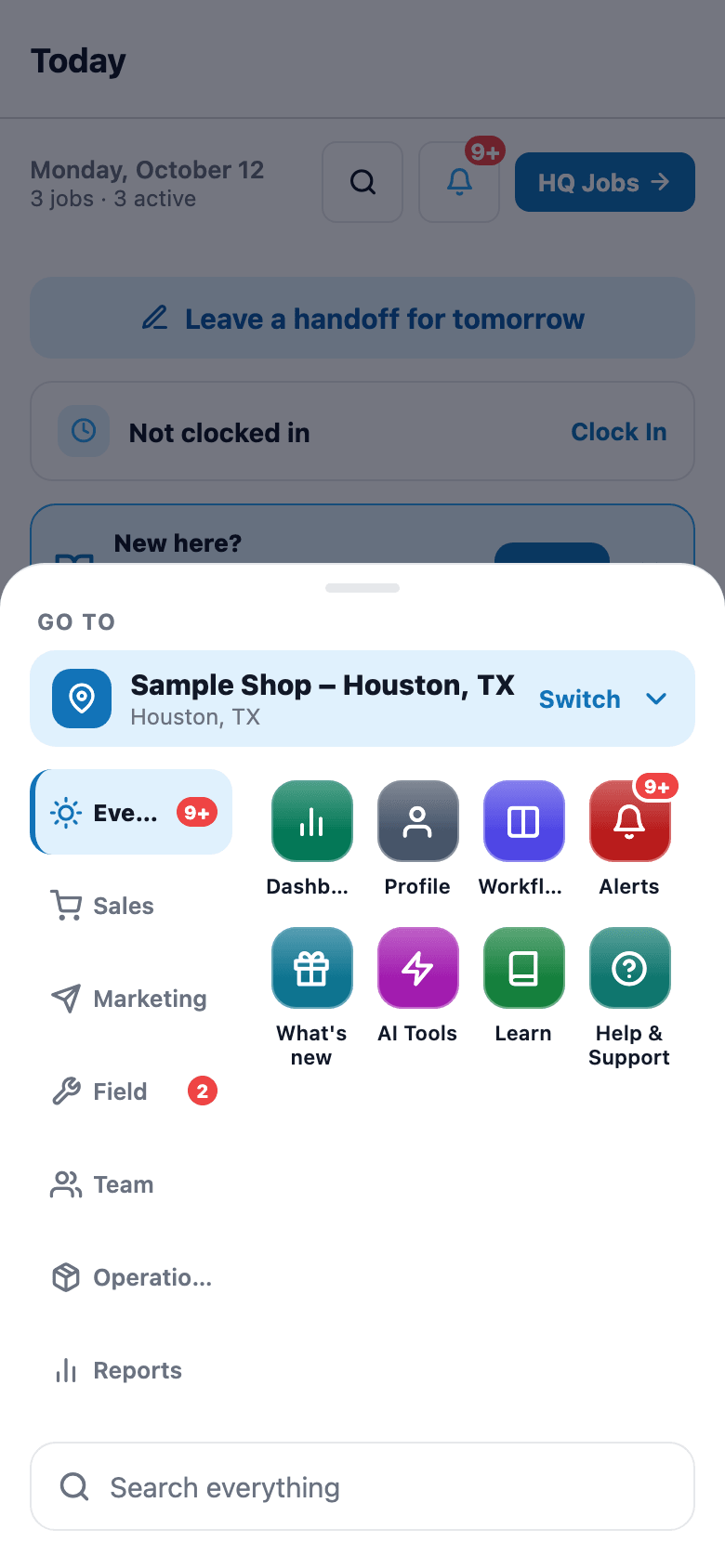
Home screen by role: Each person's home screen fits their job.
- A mobile role per employee: Installer, Sales, Both or None
- Today gated on Installer or Both (or owner); Schedule also opens for Owner / Admin / Manager
- Customers + Quotes gated on Sales or Both (or owner)
Owners always get the field tabs too, even if nobody bothered to set their own mobile role.
A closer look
01
Two dimensions, not one
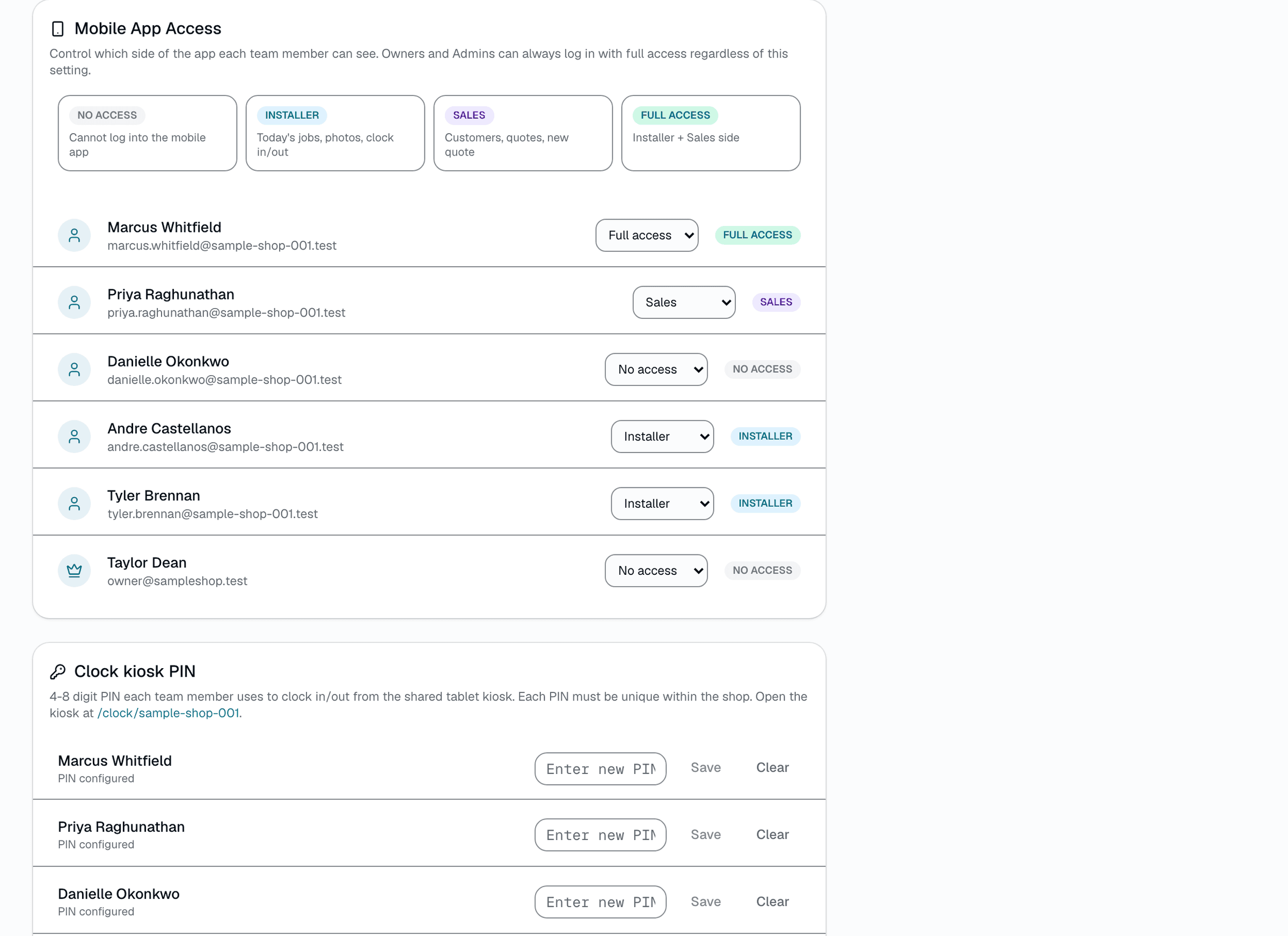
It's tempting to think one role field should decide everything, but SalesThumb tracks field access and management access separately. mobile role answers 'what kind of work does this person do' (install, sell, both, or neither). their team role answers 'how much of the business can they see' (technician up through owner). A front-desk manager with mobile role None still gets the Dashboard from their membership role; an installer never gets it just because they're great at their job — those are different questions.
- mobile role: field-work access (Installer / Sales / Both / None)
- Team role: how much of the business they can see (Owner / Admin / Manager / Technician / Front desk / Service writer)
- The two combine — a Manager with mobile role Both sees everything
Everything it does
The complete list. The plan tag above shows which plans include it.
- A mobile role per employee: Installer, Sales, Both or None
- Today gated on Installer or Both (or owner); Schedule also opens for Owner / Admin / Manager
- Customers + Quotes gated on Sales or Both (or owner)
- Dashboard gated separately on membership role (Owner / Admin / Manager)
- Messages, More, and Profile are open to every role, always
- The Customers, Quotes, Invoices, and Dashboard screens re-check the role in the app (Today and Schedule are only hidden), and the API separately enforces shop membership and per-permission rules
Who it's for
Built specifically for…
- Shops where techs and salespeople use the same app but shouldn't see each other's tools
- Owners who want the Dashboard available on mobile without handing it to every technician
- Multi-location teams where a manager at one shop needs the same access at another
What it replaces
The old way…
- One-size-fits-all navigation that shows every tool to every employee
- A separate 'manager app' or admin-only build to hide sensitive numbers
- Manually training new hires on which of 8 tabs they're supposed to ignore
Setting it up
- 1
1. Set each person's mobile role in Settings → Team
Owner or admin assigns each employee None, Installer, Sales, or Both — a one-time setup per hire.
- 2
2. App resolves both fields on sign-in
The app reads each person's mobile role and team role once, and works out which screens they can open from the two together.
- 3
3. Tab bar renders only what's earned
The 'Go to' menu filters to just the destinations that role combination unlocks — Today/Schedule, Customers/Quotes, Dashboard, or all of it for an owner.
What this looks like in a shop
Illustrative scenario: Priya works the sales counter — her mobile role is Sales, so her app opens to Customers and Quotes, no Today/Schedule clutter. Marcus installs — his mobile role is Installer, so he sees Today and Schedule instead. The shop owner, Dana, has mobile role Both and is also the Owner, so her app shows every field tab plus the Dashboard. Nobody had to be trained on which tabs to ignore — the app just doesn't show them the ones that aren't theirs.
Good to know
- Which plan includes home screen by role?
- Starter, Growth and Pro include it (Starter: read-only). See the Pricing page for everything in each plan.
- What does an employee with mobile role None see?
- On a Technician, Front Desk, or Service Writer membership: just Messages, More, and Profile — no Today, Schedule, Customers, Quotes, or Dashboard. A Manager or Admin with mobile role None still gets Dashboard and Schedule from their membership role.
- Does an owner have to set their own mobile role to see the field tabs?
- No — owners always get Today/Schedule/Customers/Quotes regardless of their own mobile role assignment, so an owner never accidentally locks themselves out.
- Is hiding a tab the actual security boundary?
- No. Hiding tabs is a navigation convenience — the Customers, Quotes, Invoices, and Dashboard screens re-check the role themselves, and the API enforces shop membership and per-permission rules (for example, who can see customer contact info or record payments). mobile role itself is an app-level gate, not an API permission.
Pairs well with
Staff login
Your team signs in with the same email and password they use on the web. Sign in once and stay signed in.
Mobile Apps
The installer app shows today's schedule, captures photos, clocks in/out, and updates job status. The customer app shows their active job's progress, appointments, quotes, invoices, and warranty status. Both are native iOS + Android apps, live now on the App Store and Google Play as the SalesThumb app; a fully white-labeled app under your own brand is further out on the roadmap.
Customer login
One app, two ways to sign in. Customers type name + phone, get a 6-digit SMS code, land in their own portal. Staff use email + password. Role decides which tabs they see.