The quick version
The app: The app for your techs and your customers.
- Today's board with bay + service + scheduled time
- One-tap clock in / clock out / break, time recorded automatically
- Photo capture pre-tagged to the job — no album-hunting later
SalesThumb ships one native app — for the people doing the work and the people paying for it — that rides on the same platform your web dashboard does.
The installer side is the tech's day: clock in, today's board with bay assignments, one-tap photo capture pre-tagged to the job, and a single 'advance' button that moves a job from confirmed through checked-in, in-progress, ready, and completed — broadcasting every change straight to the front desk.
The customer side is your shop in their pocket: a live progress bar while their vehicle is in the bay, loyalty stamps, quotes waiting on their approval, invoices with a balance, and a read-only warranty wallet for every vehicle with a registered warranty.
Live now on the App Store and Google Play as the SalesThumb app with your shop's name on it; a fully white-labeled app under your own brand in the App Store is a further-out roadmap item (2026 Q4).
A closer look
01
Installers see today's work first
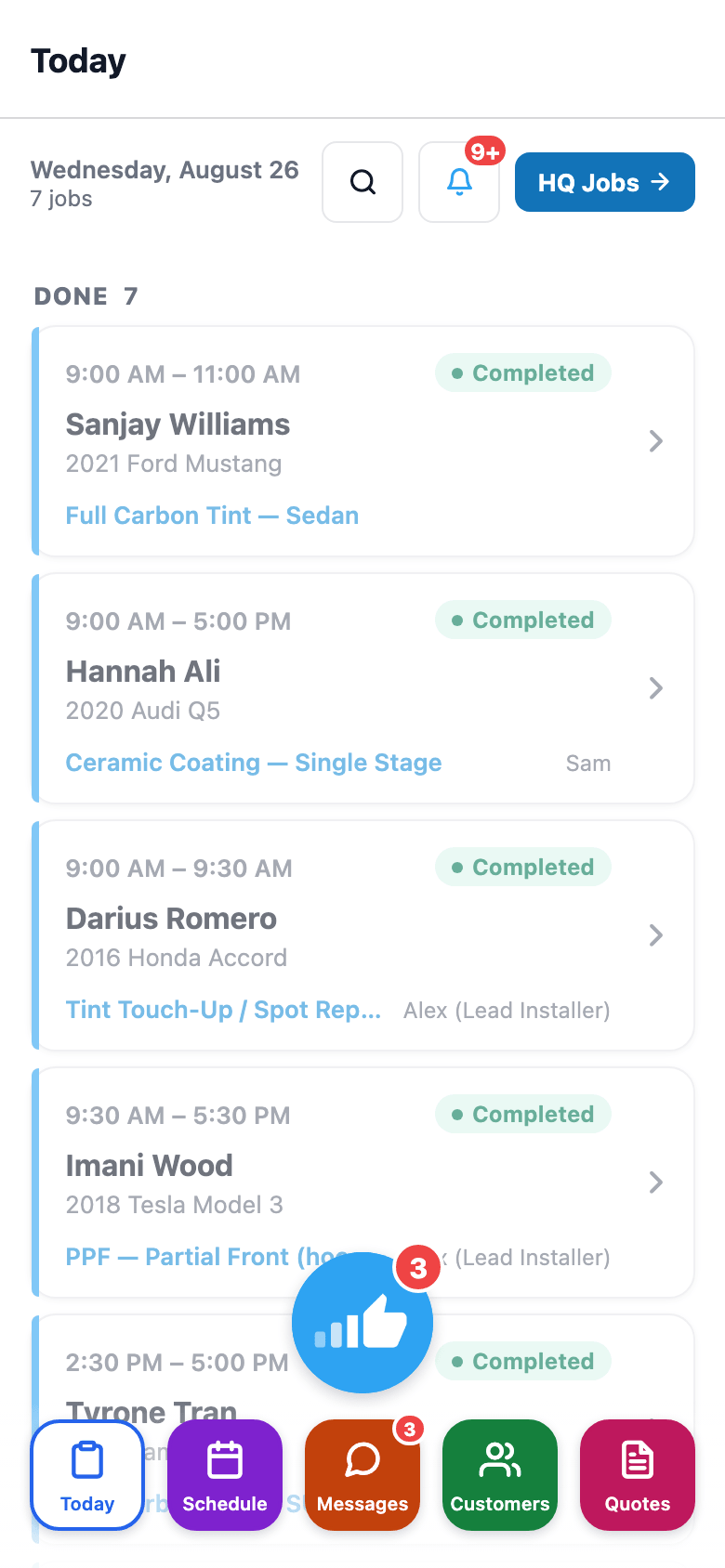
No buried menus. No 'open the CRM first.' Marco opens the app and sees an AI-tools row (Intake Scan, Install QC, Photo → Quote, Warranty Triage — Pro plan), then today's jobs with bay assignments and status pills, and photo capture right inside each job. Tap a job → customer/vehicle/quote/photos/notes, with a single 'advance' button that moves the job through its real lifecycle — Confirm → Check In → Start Job → Mark Ready → Complete — so there's never a guess about what happens next. The list shows every job in the shop for the day, not just Marco's own bay. Every status change is visible to the front desk in real time.
- Clock in from the status chip on Today; breaks and clock-out live on the Profile tab with a live elapsed timer
- Today's list auto-refreshes about once a minute
- One advance button per job — no menu of statuses to hunt through
- Status buttons map to the shop's real job lifecycle, not generic ticketing
- Today shows the whole shop's jobs for the day, not filtered to one installer's bay
02
Photos are tagged to the job as they're taken
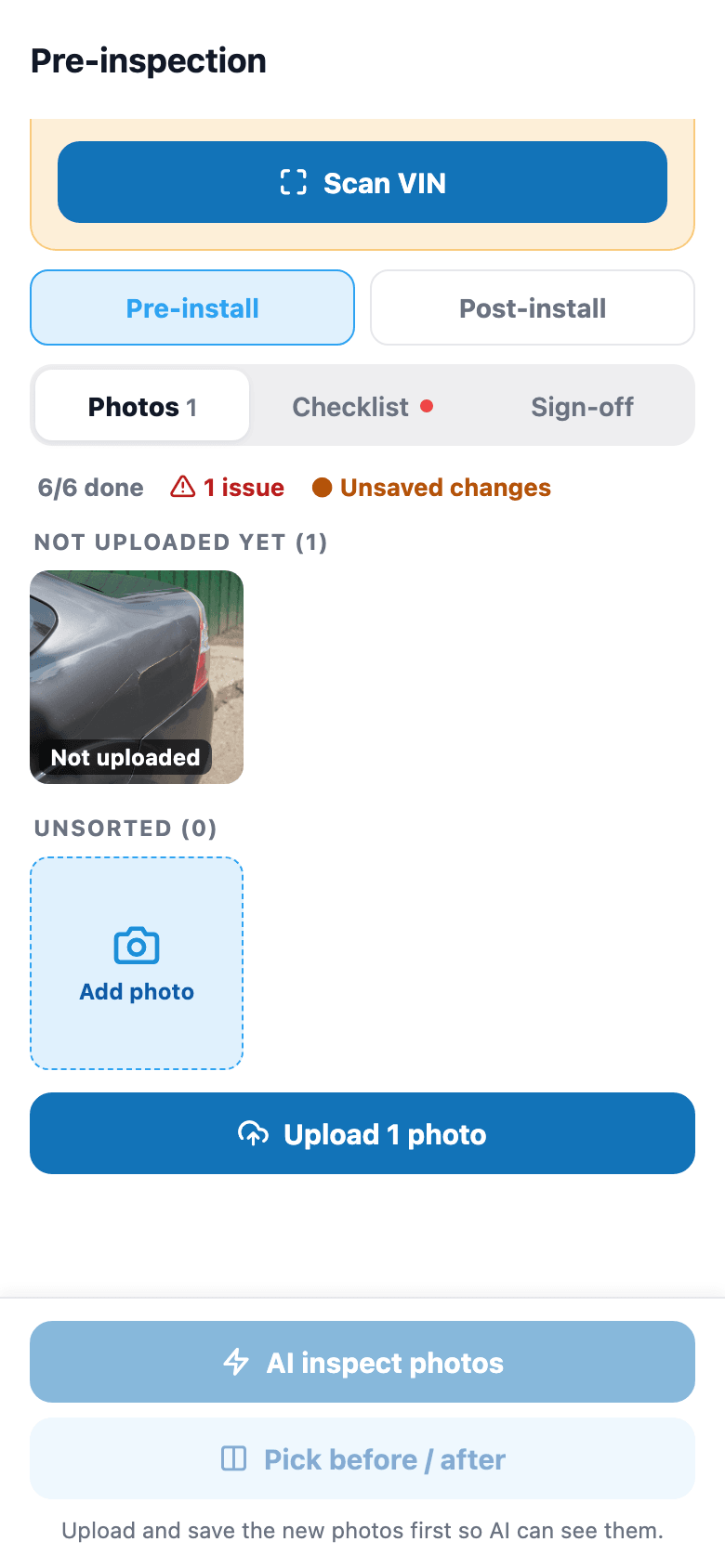
Open a job, tap Before or After, snap with the camera or pick from the library. The photo attaches straight to this job, this vehicle, this customer — no moving it to the right album later. If an upload fails on a bad connection, the photo stays staged on the job — visible, removable, and re-uploadable with a tap — instead of vanishing silently. Nothing re-sends itself behind your back.
- Two tap-to-switch tabs: Before and After
- Camera or photo library — tech's choice
- Pre-tagged to the job automatically, not sorted by hand later
- Delete a photo from the same grid if it was a mis-tap
- A failed upload keeps the photo staged for a one-tap retry — nothing re-sends itself and nothing disappears
03
Customers see their job at a glance
Customers download the SalesThumb app and see your shop's name shown on their home screen — live now on the App Store and Google Play, with a fully white-labeled, own-branded App Store listing further out on the roadmap. They'll see their active job's progress bar move stage by stage while it's in the bay, their loyalty stamps toward the next reward, any quote waiting on their approval, and any invoice with a balance due — all on one home screen. The Garage tab shows every vehicle they have on file and its warranty status.
- Your shop's name shown on their home screen — your own branded App Store listing is further out on the roadmap
- Active-job progress bar with stage-by-stage status, not just a generic 'in progress' badge
- Loyalty stamp count toward their next reward
- Quotes waiting on approval and invoices with a balance, both visible at a glance
- Per-vehicle warranty status: film, certificate number, and expiry

04
Their warranties live on their phone
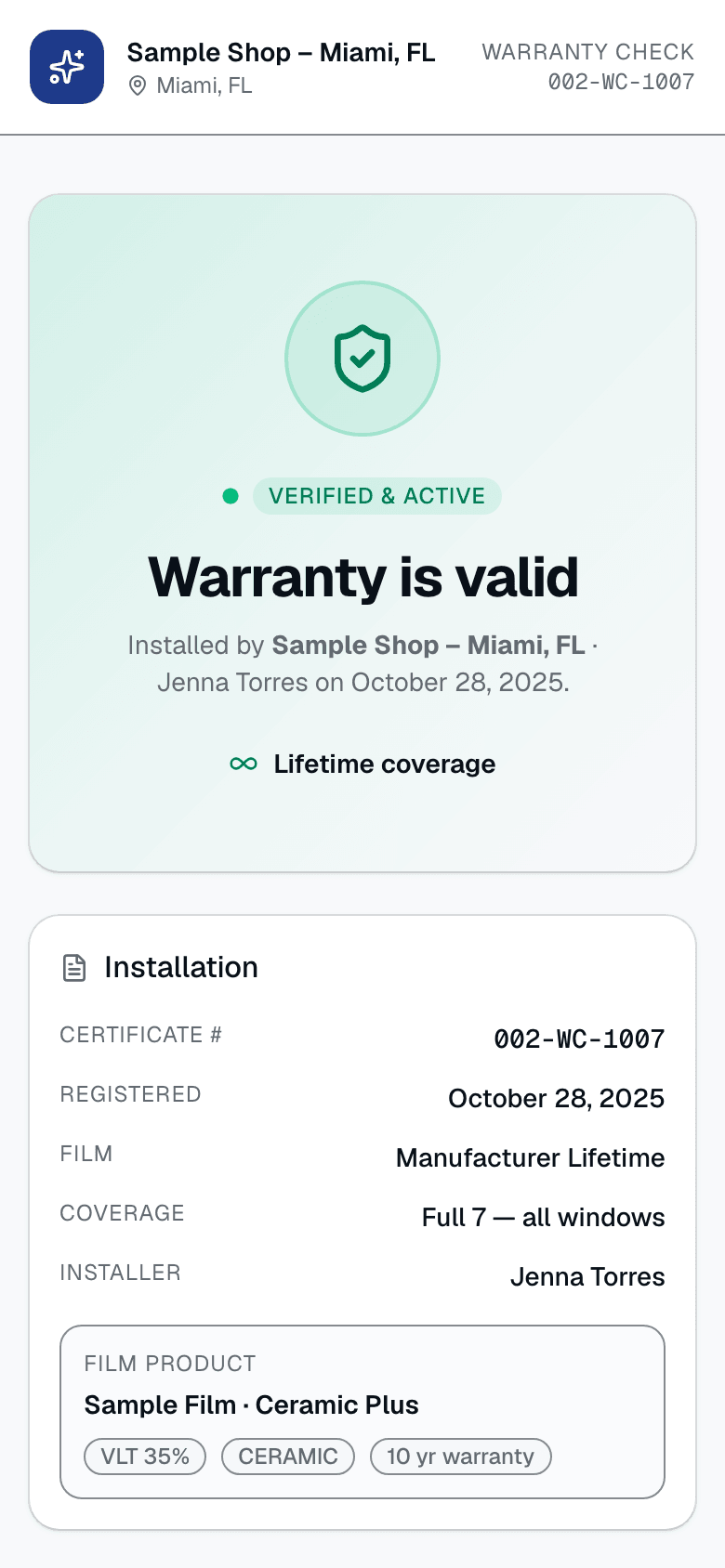
Three years after the install, the customer is at a detailer who wants to reseal the windows. They open the Garage tab and see the exact product, certificate number, and expiry for that exact vehicle — no digging through an old email for a PDF. Filing a claim or requesting a transfer happens on the certificate's public web page (the QR code on the PDF opens it), not inside the app; the app's job is making sure the coverage details are always on hand when it matters.
- Every vehicle on the customer's account, each with its own warranty row
- Film/product, certificate number, and expiry shown per warranty
- Status shown plainly: Active, Claimed, Expired, Voided, or Transferred
- Read-only in the app — claims and transfer requests start on the certificate's web page
- Survives phone upgrades — tied to the customer's account, not the device
05
What happens when the signal drops
The shop's back corner has weak signal. A mobile-install job is in a parking garage. Today, most actions in the app — photo uploads, clock events, status changes — need a connection to save, and they deliberately do not auto-retry: re-firing a write the server may already have committed would double-post it, so a failed save surfaces a clear 'couldn't save, check your connection' message you can act on instead of a silent duplicate. The one place work is protected against a dropped connection or a killed app is the digital vehicle inspection checklist, which autosaves to the device as the tech works through it and restores the draft on reopen. General offline queueing for photos and clock events — write now, sync later — isn't built yet.
- Reads retry once on a flaky connection; writes deliberately do NOT — retrying a non-idempotent write can commit it twice, so a failed save surfaces as an error instead of silently double-posting
- Clear 'couldn't save' messaging instead of a silent failure
- DVI/inspection checklist autosaves locally as you go, restored if the app is killed mid-inspection
- General offline queueing for photos and clock events is not shipped yet
Everything it does
The complete list. The plan tag above shows which plans include it.
For installers (the people doing the work)
- Today's board with bay + service + scheduled time
- One-tap clock in / clock out / break, time recorded automatically
- Photo capture pre-tagged to the job — no album-hunting later
- Status updates flow straight to the front desk in real time
- Digital vehicle inspection with customer sign-off, autosaved locally as you go
- Installer leaderboard + tip + commission visibility (if enabled)
For customers (the people paying you)
- Active-job progress bar with stage-by-stage status while their vehicle is in the bay
- Warranty wallet — every registered warranty with expiry + product, per vehicle
- Loyalty stamp tracker toward their next reward
- Quotes waiting on approval + invoices with a balance, right on their home screen
- Passwordless sign-in — just name + phone + a 6-digit SMS code
For owners (the people who worry at 11pm)
- White-label in the App Store under your brand — roadmap (2026 Q4)
- Single sign-on with the web app — add installer on web, they log in on mobile
- Review warranty claims and approve time-off requests from your phone
- Mobile shop-switcher for multi-location owners
- Each job's before/after photos on its job screen — pull them up when investigating a damage claim
A tour of the screens
Every meaningful view, the path through it, and the moments that matter — so you know exactly what you're buying.
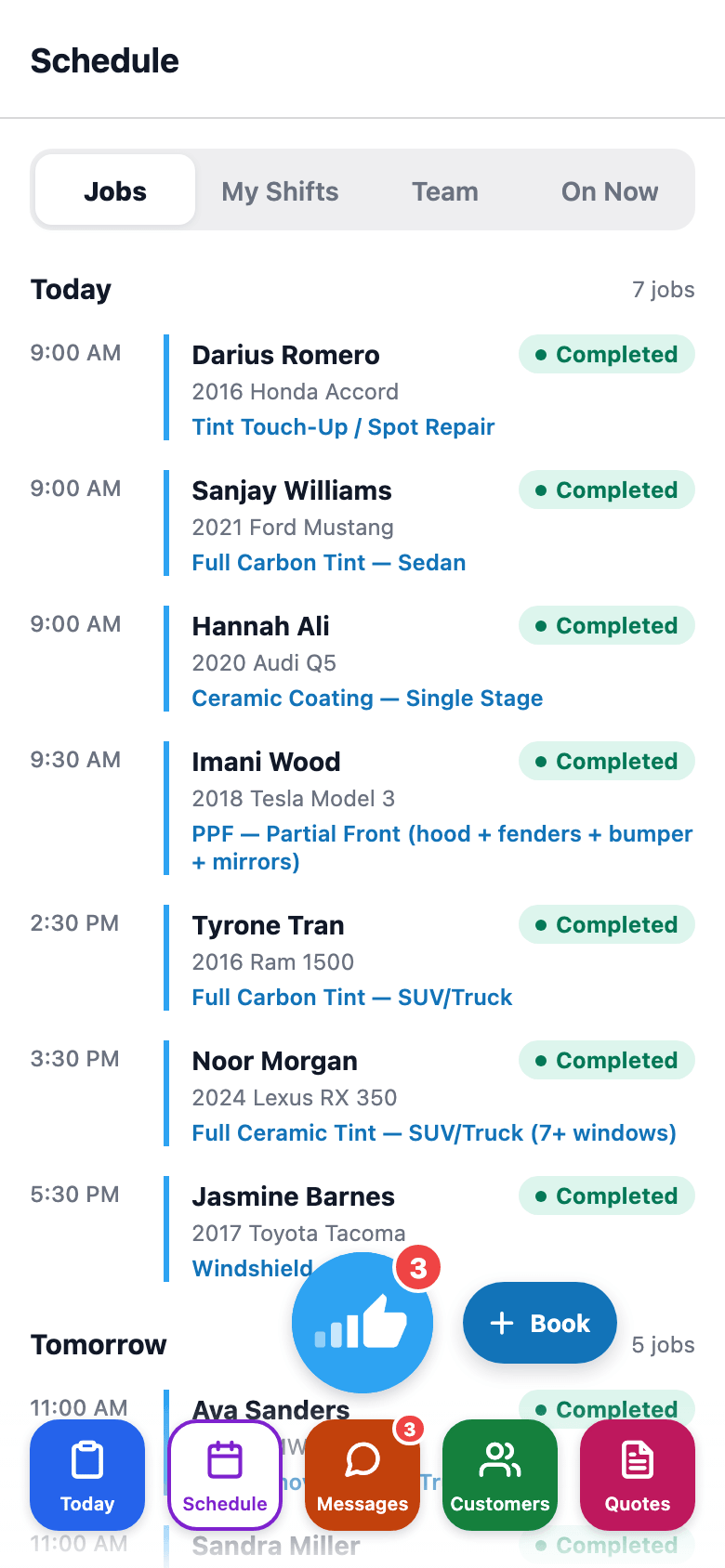
Schedule
Upcoming jobs grouped by day, plus My Shifts, Team Shifts, and On Now for managers..
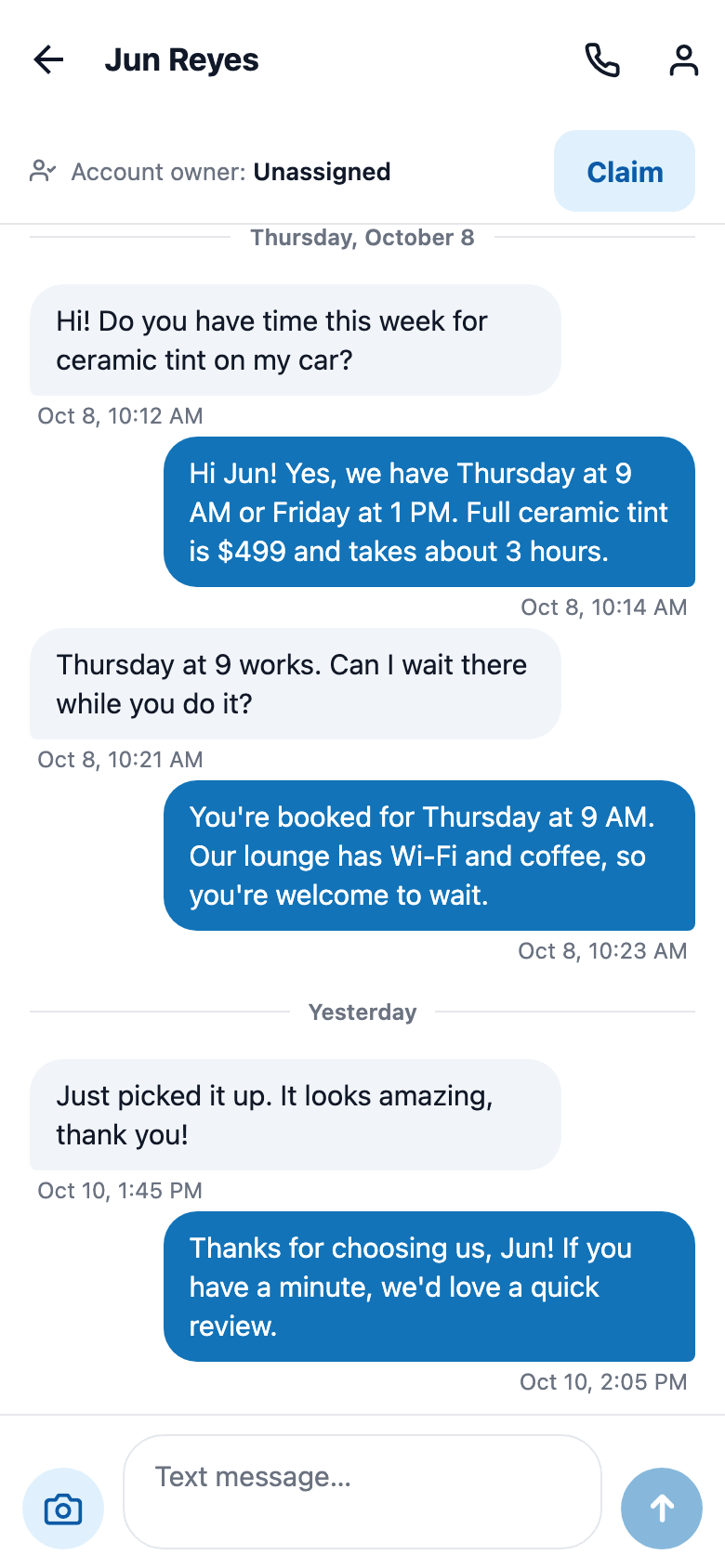
Messages
Customer SMS threads plus a Leads bucket for web-chat and Facebook visitors not yet matched to a customer..
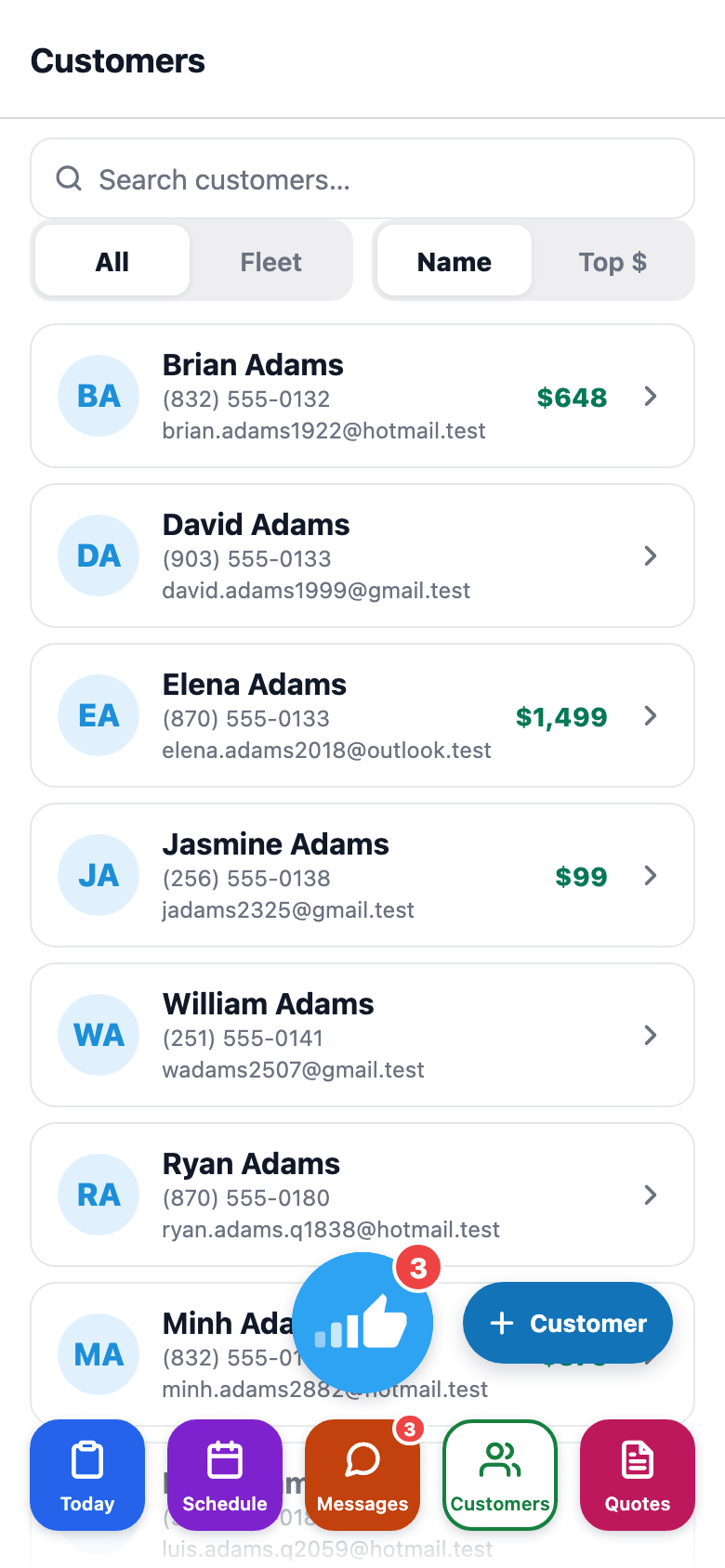
Customers
Searchable directory of every customer in the shop — tap through to full detail..
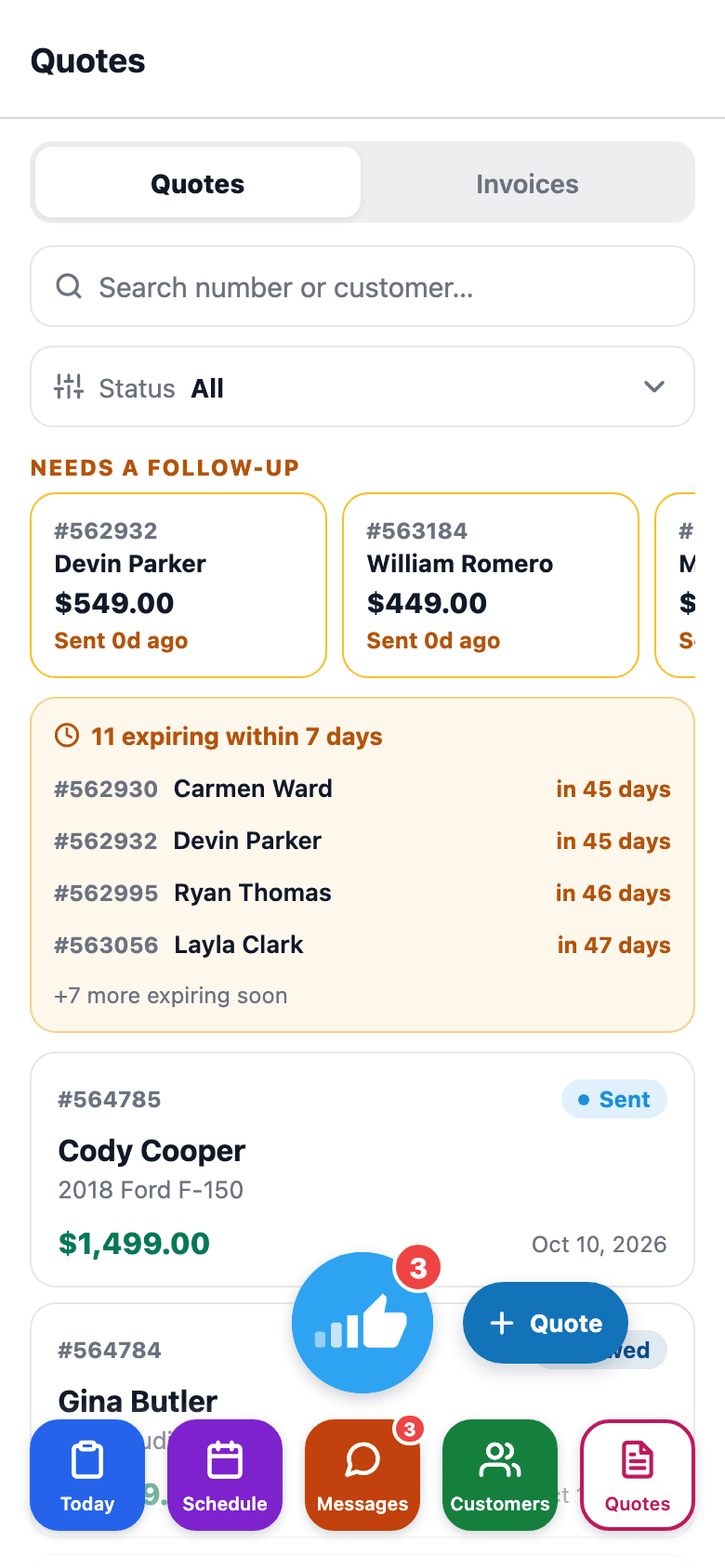
Quotes
Every quote for the shop with a status filter — tap to view or send..
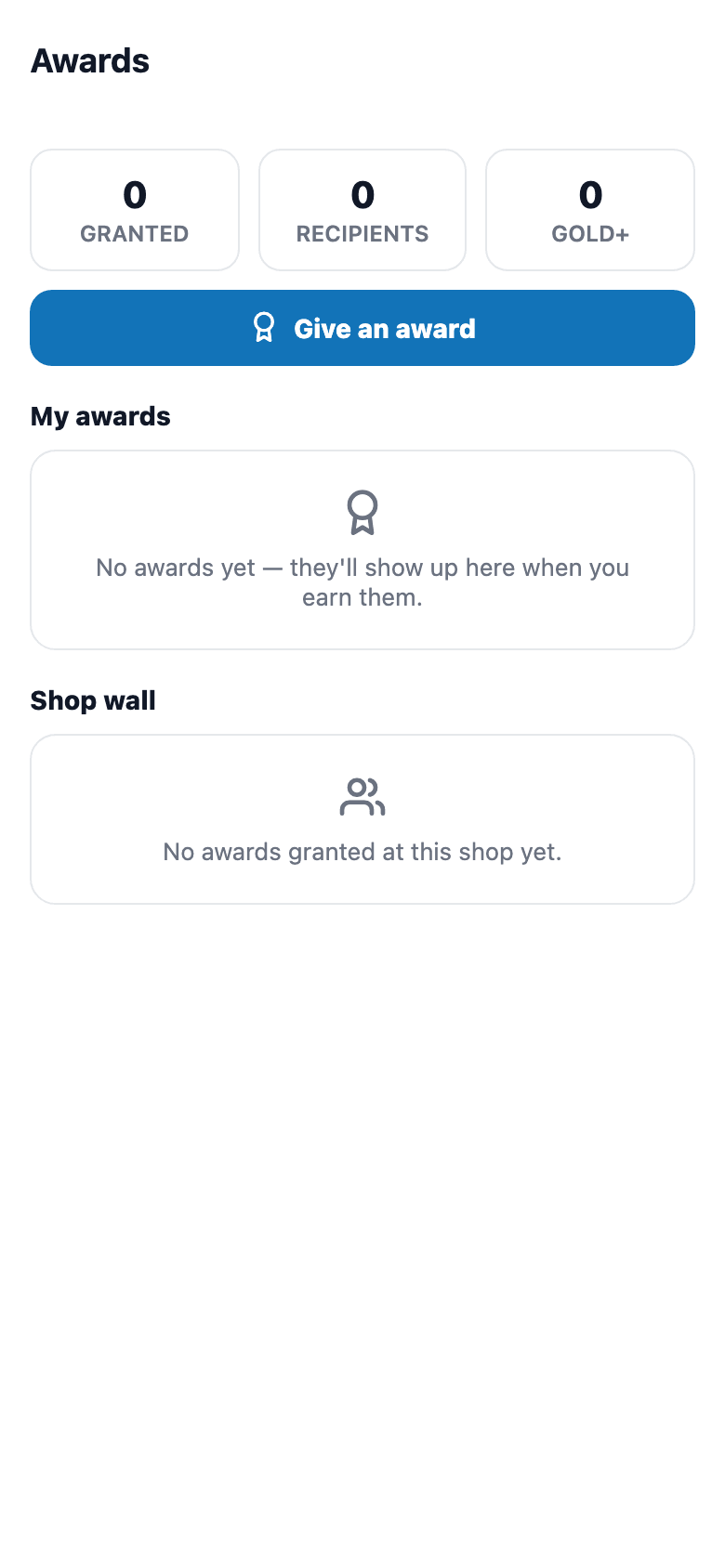
Awards
Shop stats, your own awards wall, and the team's shop-wide feed — owners can grant new ones..
More tools
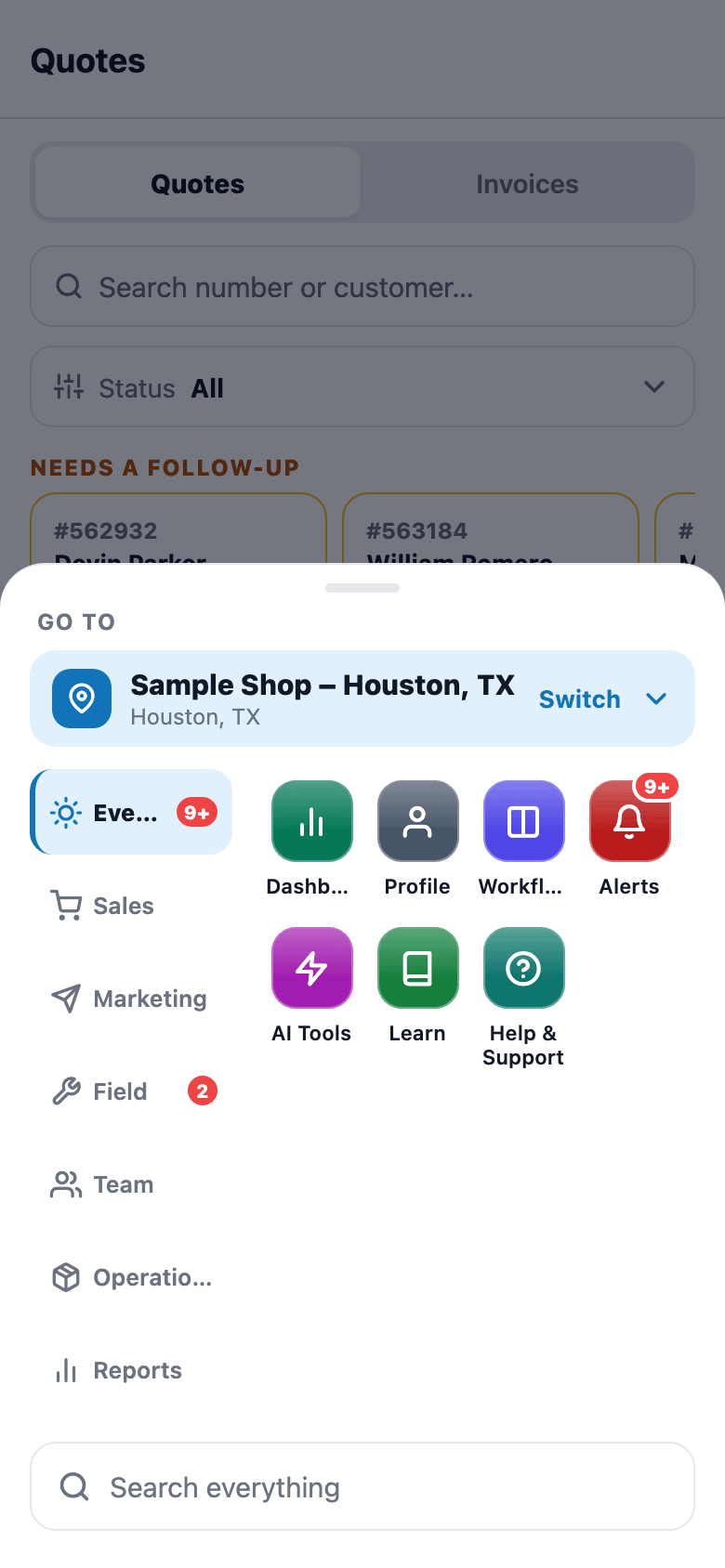
Every other tool in one menu, sorted into groups (Everyday, Sales, Marketing, Field, Team, Operations, Reports), with search across the app..
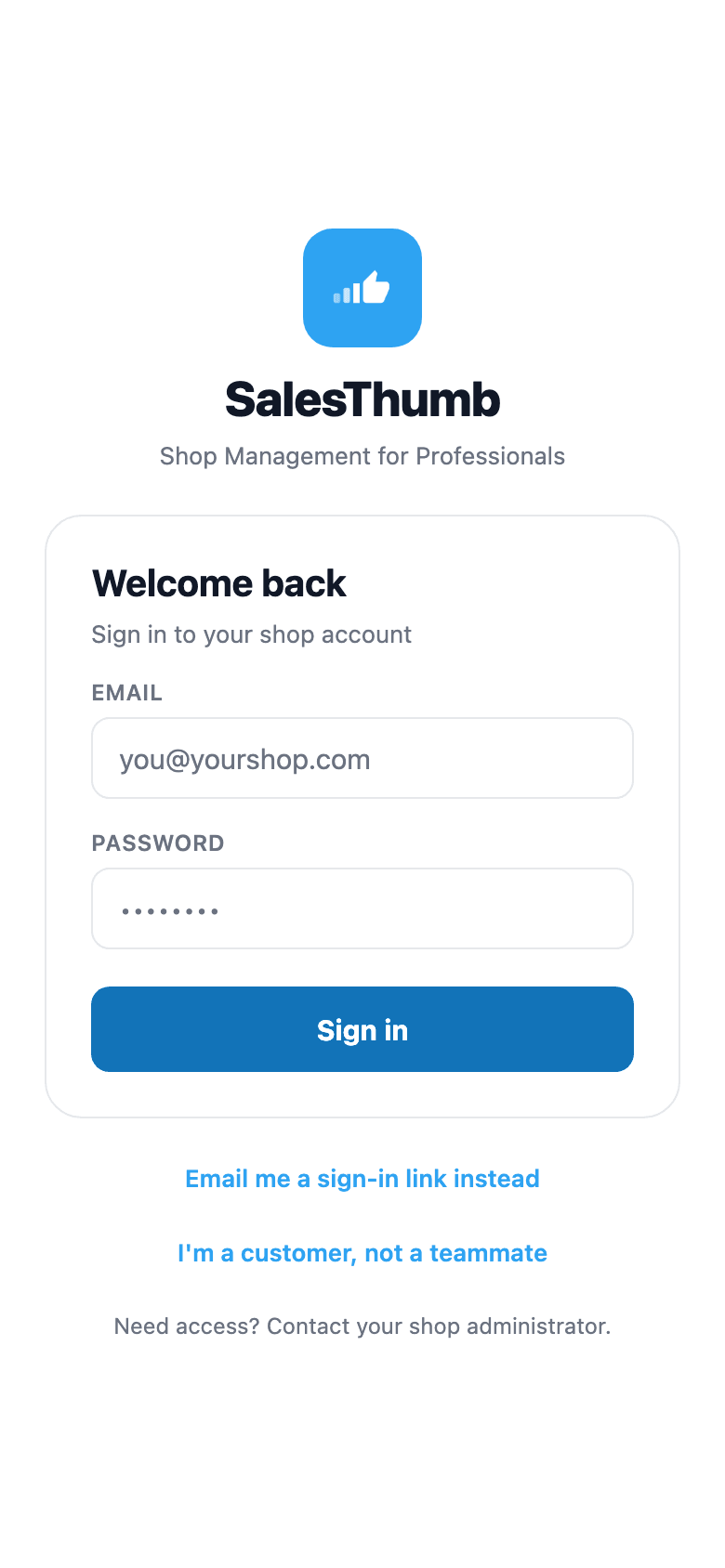
Staff sign-in
Email + password for staff; customers use the separate passwordless name + phone flow..
Who it's for
Built specifically for…
- Tint / PPF / detail techs doing 4–10 jobs a day
- Front desk staff who need real-time job status without radio-calling the bay
- Mobile-install operators whose 'office' is a cornfield or a parking garage
- Owners who want the shop in their pocket for nights + weekends
- Customers who expect an app (because every gym, coffee shop, and pharmacy has one)
What it replaces
The old way…
- Paper job tickets clipped to clipboards
- Group-text photos of 'did I scratch this?' between tech and front desk
- Voicemail tag for 'when is my appointment again?'
- Expiring warranty PDFs lost to a dead laptop or an old email address
- Paying for a separate time-clock app that doesn't talk to your schedule
Setting it up
- 1
Download the app
iOS + Android, live now on the App Store and Google Play. Login with the same email as the web app. Shops + roles carry over automatically. Multi-location owners see a shop-switcher in the header.
- 2
Installer mode vs customer mode
The welcome screen asks whether you're a customer or a team member. Team members see the tabs their mobile access allows (Installer, Sales, or Both); customers see appointments and warranty. If both sessions are on one phone, the staff side opens.
- 3
What happens with no signal
Most actions need a connection to save, and writes deliberately do not auto-retry — re-sending a write the server may already have committed would double-post it — so a failure shows a clear error rather than silently duplicating or losing the change. The digital vehicle inspection checklist is the one place work autosaves locally as you go.
What this looks like in a shop
Illustrative scenario: Marco rolls in at 7:45am, opens the installer app, sees his jobs for the day with bay assignments. He clocks in, grabs his first Tesla, snaps a few before photos, and taps 'Start Job.' The front desk sees his status flip to In Progress without a single radio call. When Alicia checks the app on her lunch break, she sees the same progress bar creeping toward 100% — no call to the shop needed to ask 'is it done yet?'
Good to know
- Which plan includes the app?
- Starter, Growth and Pro include it (Starter: read-only). See the Pricing page for everything in each plan.
- Is there a mobile app?
- Yes — live now on the App Store and Google Play as the SalesThumb app. It just shipped, so there aren't reviews yet. The web app is also fully mobile-responsive if you'd rather not install anything.
- Do I pay extra for the mobile apps?
- No extra add-on fee. Pricing lists the installer app from Starter up (not on Basic), and clock in/out needs the Growth plan. Optional white-label (your brand in the App Store / Play Store instead of SalesThumb) is on the roadmap (2026 Q4) as a paid add-on.
- Is it real native or a web wrapper?
- Real native, built with Expo + React Native — camera, photo library, push notifications, and haptics are all platform-native, not a glorified PWA. Live now on the App Store and Google Play.
- What happens when the phone has no signal?
- Most actions — photo uploads, clock events, status changes — need a connection to save today. Writes deliberately do not auto-retry — re-firing one the server may already have committed would double-post it — so a failure shows a clear 'couldn't save, check your connection' message rather than silently duplicating or losing the change, and the tech knows to try again. The digital vehicle inspection checklist is the one exception: it autosaves locally as you go, so a killed app or a dead zone mid-inspection doesn't lose the entered items. Full offline queueing for every action is a roadmap item, not shipped yet.
- Can a customer use the app without my shop installing it?
- Yes — they download the SalesThumb app and see your shop's name inside; a fully white-labeled app under your own brand in the App Store is a further-out roadmap item (2026 Q4). Either way they sign in with their name, phone number, and a 6-digit text code — no password to remember.
- Does the installer app track my staff's location?
- Not continuously. When a tech clocks in or out, or checks in to or completes a job, the app records a one-time GPS point if the phone allows location access, so your shop has a record of where it happened. A job's detail screen shows a map pin and a 'Get Directions' button built from the job's address, which is a one-time lookup to render the pin, not a live position feed. There's no background tracking. The server does flag a clock punch recorded more than a mile from the shop, and that flag shows on the team member's page in the web app.
Works with your stack
iOS + Android native
Built with Expo · real native, not webview
Expo push (APNs + FCM)
New-job alerts for installers, team voice-message pings
Manual payment recording
Cash / card / check / ACH / financing entry, plus a text-or-email pay link
App Store + Play Store
SalesThumb app live on both stores; white-label distribution further out on the roadmap
Device camera + photos
Native capture + gallery access
Device geocoding
One-time address lookup for a map pin + turn-by-turn directions
Pairs well with
Scheduling
Every installer, every bay, every appointment in one view. Drag to reschedule. Color-coded by status. Double-book detection with explicit confirm-to-override.
Job Photos
Every appointment gets a photo gallery. Techs capture on mobile (Growth and Pro; the app is view-only on Starter). Customers see a polished post-install gallery. On Pro, AI looks at the damage photos on a vehicle inspection and drafts the damage note for you. You protect yourself from 'it was like that when you got it' claims.
Two-way SMS
However a customer reaches you — a text, an email, a Facebook or Instagram message, or WhatsApp — it lands in the same inbox, on the same customer, and you answer from there.