Customer follows the job in real time. No 'where's my car?' calls.
Generate a tracker link for an appointment and text it to the customer. The page shows a live status — Confirmed, Checked in, In progress (with the current stage name), Ready for pickup, or Complete — and refreshes every 30 seconds while the job is active.

The quick version
Live job tracker: Customers follow their job's progress from a link.
- Public /track/<token>?appt=<id> URL, generated per appointment
- Live status: Confirmed / Checked in / In progress / Ready for pickup / Complete
- Auto-refresh every 30s while the job is active — stops once it's done
They don't need to call you, you don't need to call them. Once the job is marked complete, the page links out to the photo gallery, which also hosts a tip-the-crew card.
A closer look
01
A pizza-tracker-style link for every job
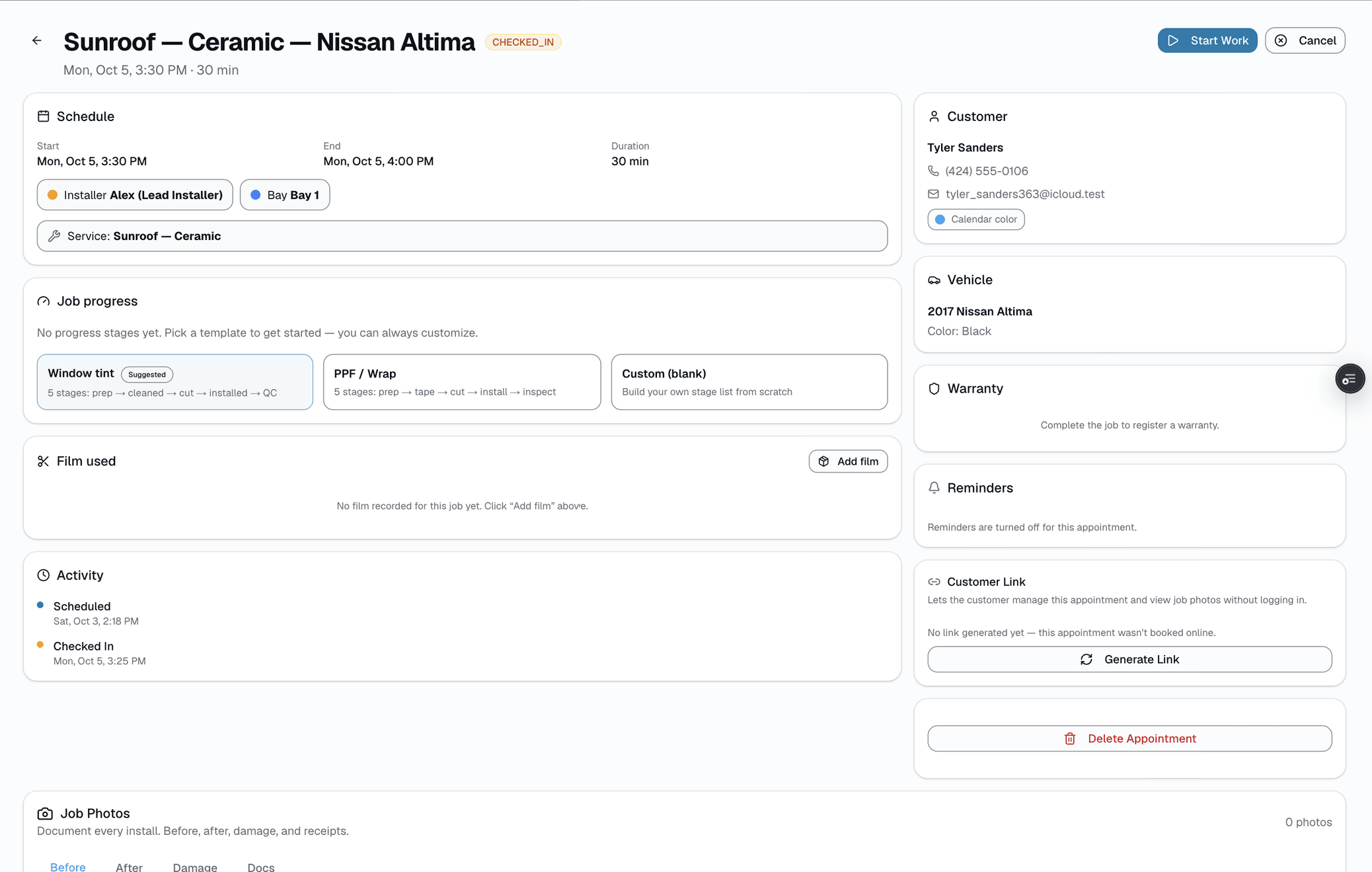
From the appointment, generate a shareable /track/<token>?appt=<id> link with one click, then copy it or text it directly. It's an operator action, not something that happens automatically when the appointment is created. The link is token-scoped and works in any phone browser — no login, no app install.
- Generate + copy, or generate + text, in one click
- Public URL — no login, no app install
- 30-second auto-refresh while the job is in progress
- Token expires 30 days after generation
02
Status the customer can actually understand
Confirmed → Checked in → In progress (shows the current build stage, like "Film cut") → Ready for pickup → Complete. Color-coded, plain-English, no internal jargon. The installer app's single Advance button moves a job through these same states, and the customer's tracker reflects it within 30 seconds.
- Confirmed — appointment is booked
- Checked in — car has arrived
- In progress — shows the current stage + an ETA in minutes remaining
- Ready for pickup
- Complete — photo gallery + tip card unlock
03
After completion: photos and a tip for the crew
Once the job is marked complete, the tracker page links out to a separate page — the photo gallery — which also hosts a tip card. Tips go 100% to the shop's crew, no platform cut. There's no rebooking flow on this page; it's photos + a tip, nothing more.
- Links to /a/<token>/photos — before/after shots + a review prompt
- Tip-the-crew card with preset amounts + custom
- 100% of the tip goes to the shop — no platform fee
- Auto-hidden if the shop isn't set up to accept tips
Everything it does
The complete list. The plan tag above shows which plans include it.
- Public /track/<token>?appt=<id> URL, generated per appointment
- Live status: Confirmed / Checked in / In progress / Ready for pickup / Complete
- Auto-refresh every 30s while the job is active — stops once it's done
- ETA estimate in minutes remaining, computed from stage timestamps
- Post-completion: links to a separate photo gallery + tip-the-crew page
- Token-scoped — no login, no app install
A tour of the screens
Every meaningful view, the path through it, and the moments that matter — so you know exactly what you're buying.
Status states
Confirmed, Checked in, In progress, Ready for pickup, Complete — the same 5 states the installer app's Advance button moves through..
Setting it up
- 1
1. Generate and send the link
From the appointment, generate a shareable /track/<token>?appt=<id> link and text or copy it — one click, operator-triggered.
- 2
2. Advance the job in the installer app
Status changes flow through the existing jobProgress + appointment routers. The /track page polls every 30 seconds while the job is active.
- 3
3. After completion → gallery + tip
Once status is Complete, the tracker page links to /a/<token>/photos — the gallery, which also hosts the tip-the-crew card.
What this looks like in a shop
Illustrative scenario: Marcus drops his F-150 for a full ceramic. He gets a tracker link via SMS. Throughout the day he glances at the tab — Checked in → In progress (Film cut, ~40 min remaining) → Ready for pickup. Marcus never called the shop. Pickup is smooth, and afterward he taps into the photo gallery to leave a tip.
Good to know
- Which plan includes live job tracker?
- Starter, Growth and Pro include it. See the Pricing page for everything in each plan.
- Is the tracker URL secure?
- The link uses a random 48-character token that expires in 30 days. The same token also opens that customer's full portal (appointments, quotes, invoices, warranties, vehicles), so only send it to the customer.
- Does this require an app?
- No. /track/<token> is a public web URL that works on any phone browser.
- How often does it refresh?
- Every 30 seconds while the job is active (silent re-fetch); polling stops once the job is complete, canceled, or a no-show.
Pairs well with
Customer portal
From any customer's page, hit 'Portal link' → Copy, text, or email a 30-day link. Lands at /portal/<token>. No password, no app install required.
Two-way SMS
However a customer reaches you — a text, an email, a Facebook or Instagram message, or WhatsApp — it lands in the same inbox, on the same customer, and you answer from there.
Scheduling
Every installer, every bay, every appointment in one view. Drag to reschedule. Color-coded by status. Double-book detection with explicit confirm-to-override.
Job Photos
Every appointment gets a photo gallery. Techs capture on mobile (Growth and Pro; the app is view-only on Starter). Customers see a polished post-install gallery. On Pro, AI looks at the damage photos on a vehicle inspection and drafts the damage note for you. You protect yourself from 'it was like that when you got it' claims.